
Customer photos can be one of the best things about a Google Business Profile, showing real experiences that marketing images cannot match. But sometimes a photo appears that has nothing to do with the business, shows someone's private information, or is simply inappropriate, and owners quickly discover they cannot just delete it. This blog covers how photo removal works for customer-uploaded images, which photos qualify, the exact steps to report them, and what to do while Google reviews the request.
Key Takeaways
- Owners can delete their own photos but not customer uploads.
- Customer photos can be reported when they violate Google's policies.
- Reports can be submitted through Google Search or the Google Maps app.
- Reviews can take several business days, and duplicate reports may slow them down.
- Strong owner photos help keep the profile looking its best.
Who Controls the Photos on Your Profile
Photos on a Google Business Profile come from two main sources: the owners and managers of the profile, and the customers who visit and share their experience. Owner photos can be added and deleted at any time from the profile's photo section. Customer photos are different because they belong to the people who uploaded them and form part of the public, user-generated content that helps others decide where to go.
Google's help guidance makes it clear that owners cannot stop customers from posting photo updates, but they can report photos that break the rules. That distinction surprises many business owners, especially when an unflattering or irrelevant image appears near the top of their profile. Knowing which photos can be removed, and which cannot, saves time and frustration before the reporting process begins.
Which Customer Photos Qualify for Removal
Google removes customer photos when they violate its content policies, not simply because an owner dislikes them. Common qualifying reasons include images that are not of the place at all, photos showing someone's personal information, sexually explicit or offensive content, spam or advertising, and meaningless or extremely low-quality images. Photos posted to harass a business, or by people who never visited, may also fall under these policies.
An honest photo of a messy table, a long line, or a dish that looked better on the menu usually stays, even if it stings. That mirrors how Google treats reviews, where genuine negative feedback remains while policy violations can be flagged, a pattern that also applies when businesses handle and remove a fake Google review. Focusing reports on clear violations gives each request a far better chance of success.
Google removes customer photos that break its policies, not photos that are simply unflattering.
How to Report a Customer Photo Using Google Search
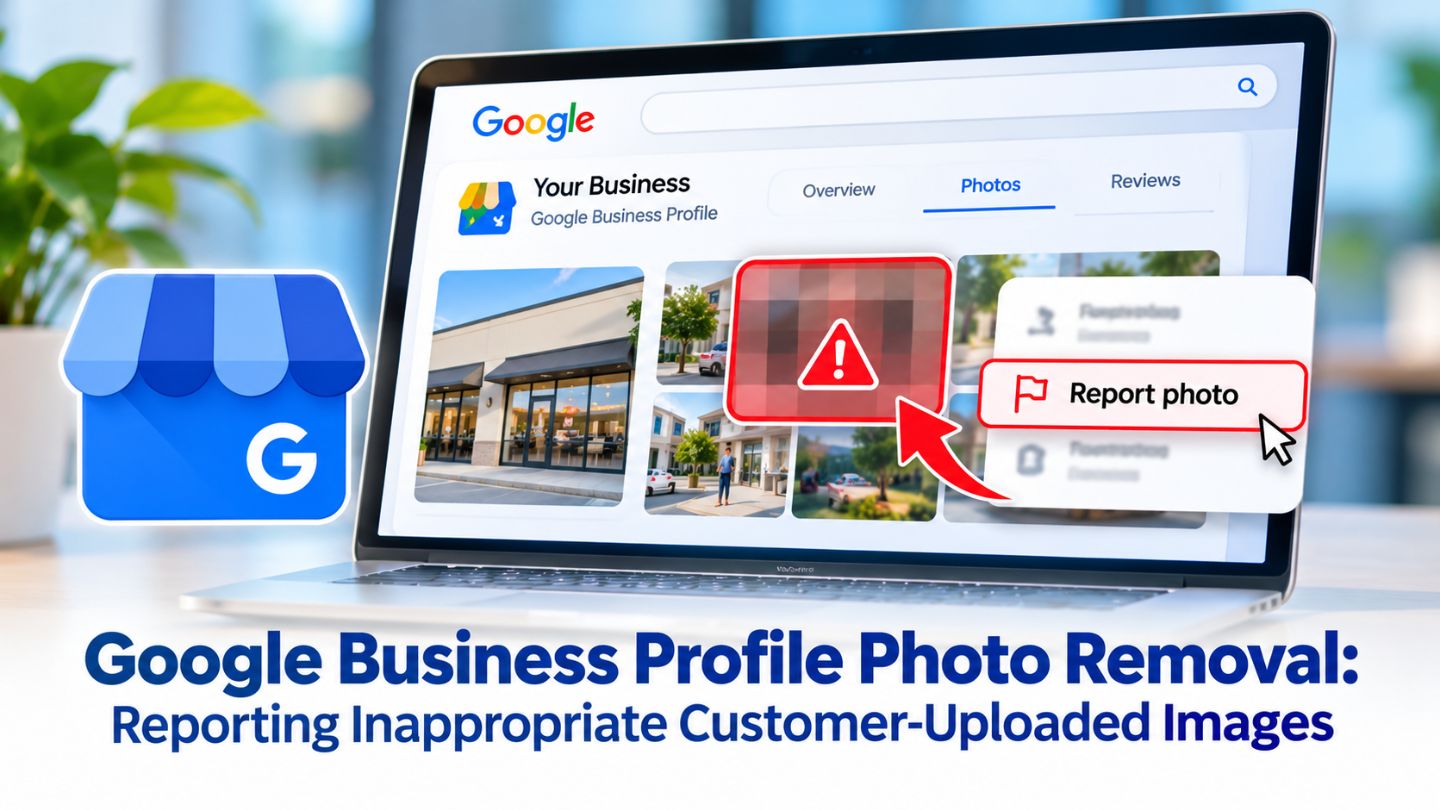
The quickest route for most owners is through Google Search on a desktop. Google's instructions to report inappropriate photos or videos on your Business Profile start with opening the Business Profile, selecting Photos, then View all photos, and choosing the image that needs attention. From there, the Report a problem option appears at the bottom right of the photo viewer.
After selecting it, choose the reason that best matches the issue, such as a privacy concern or a photo that does not show the place, and submit the report. Picking the most accurate reason matters, because it tells reviewers exactly which policy the image breaks. Once submitted, the photo goes through review, and Google notes that it may be removed from the profile if it violates policy.
Steps to Report a Photo on Desktop
- Open your Business Profile on Google Search.
- Select Photos, then View all photos.
- Open the photo and select Report a problem.
- Choose the most accurate reason and select Submit.
Read More: Reasons Your Google Business Profile Might Get Suspended
Reporting Photos With the Google Maps App

Reporting From the Mobile App
Owners who manage their profile on a phone can report photos through the Google Maps app as well. Open the app, tap the Business tab, open the profile, and go to the Photos section. Selecting the problem photo brings up the reporting option, where a similar set of reasons appears. The mobile route is especially useful for photo updates, which customers post through the Maps app and which owners can reply to or report only from the app.
Handling Photo Updates
Photo updates can include several images along with text, so it is worth reviewing them carefully. If only one image in an update is a problem, it can be reported individually from the Photos tab rather than flagging the entire update. This keeps legitimate customer content in place while still addressing the specific image that breaks the rules.
What Happens After You Submit a Report
Once a report is sent, Google reviews the photo against its policies, and that review can take several business days. Removal is never guaranteed, and owners usually are not notified of the outcome directly, so checking the profile again after a week is the simplest way to see whether the image is gone. Google also cautions that submitting multiple removal requests for the same content can delay the review.
If a clear violation stays online, owners can escalate through Google Business Profile support with screenshots, the photo link, and a short explanation. Patience helps, because Google moderates user content carefully across reviews and photos, much as it does with Google review reply moderation for the responses businesses post. A calm, well-documented request works better than repeated reports.
Reports go through a review, so a single clear request works best.
Protecting Your Profile Beyond Photo Removal

Reporting handles problem images, but the strongest defense is a profile full of great owner photos. Regularly adding clear, well-lit images of the exterior, interior, team, products, and services gives customers an accurate picture of the business and makes a single poor upload far less noticeable. Fresh images also show that the profile is active and cared for, which customers notice. Whether geo-tagging images helps Google Business Profile rankings is a common follow-up question when owners start uploading more.
Pairing photos with regular updates keeps the profile working harder. Sharing offers, news, and events through Google Business Profile posts puts more owner-created visuals in front of customers and gives them current reasons to choose the business, which naturally balances out the occasional unflattering customer photo.
When Photos Point to a Bigger Problem
Occasionally, a wave of irrelevant or offensive photos signals more than a single bad upload. Images posted to damage a reputation, or photos that belong to a different location with a similar name, often appear alongside other suspicious activity such as fake reviews or incorrect edits to the profile. Spotting these patterns early makes it easier to act before customers are affected.
Google relies heavily on automated systems to catch this kind of activity, and Google Maps spam detection targets fake listings and manipulative content that distorts local results. Owners can support that effort by documenting suspicious photos and reviews with dates and screenshots, reporting each violation accurately, and keeping profile information current so genuine details are easy to verify.
Monitoring Your Photos on a Regular Schedule
Problem photos are easier to manage when they are spotted early. Setting a simple routine, such as checking the customer photo section once a week, helps owners catch inappropriate uploads before many customers see them. Turning on notifications in the Business Profile and the Google Maps app also alerts owners to new photo updates, so nothing important sits unnoticed for weeks while it shapes first impressions.
Keeping a short log of reported photos is useful too. Note the date, the reason selected, and whether the image was eventually removed. Over time, this record shows which types of reports succeed, reveals any patterns of repeated abuse, and gives owners the documentation they need if a situation ever requires escalation to Google Business Profile support.
Read More: Why Businesses Lose Reviews on Google Suddenly
Keeping Your Profile Accurate and Trustworthy

Customer photos help people decide where to go, but owners are not powerless when an inappropriate image appears. Photos that violate Google's policies can be reported through Google Search or the Maps app, using the most accurate reason and a single, clear request. While reviews take a few days, regular owner photos, active posts, and careful monitoring keep the profile accurate and appealing in the meantime.
At The Ocean Marketing, we help local businesses keep their Google profiles accurate, polished, and trusted by nearby customers. Our Google Maps SEO team monitors photos, reviews, and profile details, and a free SEO audit can uncover issues affecting your local presence. Contact us for help keeping your profile in great shape.
Frequently Asked Questions
Can I delete customer photos from my Google Business Profile?
No. Owners can delete only the photos they or their managers uploaded. Customer photos can be reported, and Google removes them if they violate its policies.
How long does it take Google to remove a reported photo?
Reviews can take several business days. Submitting the same report multiple times may slow the process, so it is best to report once with the most accurate reason.
Will Google remove a photo just because it is unflattering?
Usually not. Honest photos of real experiences tend to stay. Google focuses on images that break its policies, such as off-topic, private, offensive, or spam content.