
Businesses no longer publish content in just one place. The same product description, article, or promotion might need to appear on a website, a mobile app, an in-store display, and a smartwatch screen, often at the same time. Traditional content management systems struggle with that kind of reach because they tie content to a single website. This blog covers how headless CMS architecture works, how APIs connect stored content with multiple digital platforms, where the approach shines, and what businesses should weigh before switching.
Key Takeaways
- A headless CMS separates content storage from how content is displayed.
- APIs deliver the same content to websites, apps, and other platforms.
- Structured content models make content reusable across channels.
- Headless setups add flexibility and speed but require more development work.
- Design systems keep visuals consistent across every front end.
What Makes a CMS "Headless"
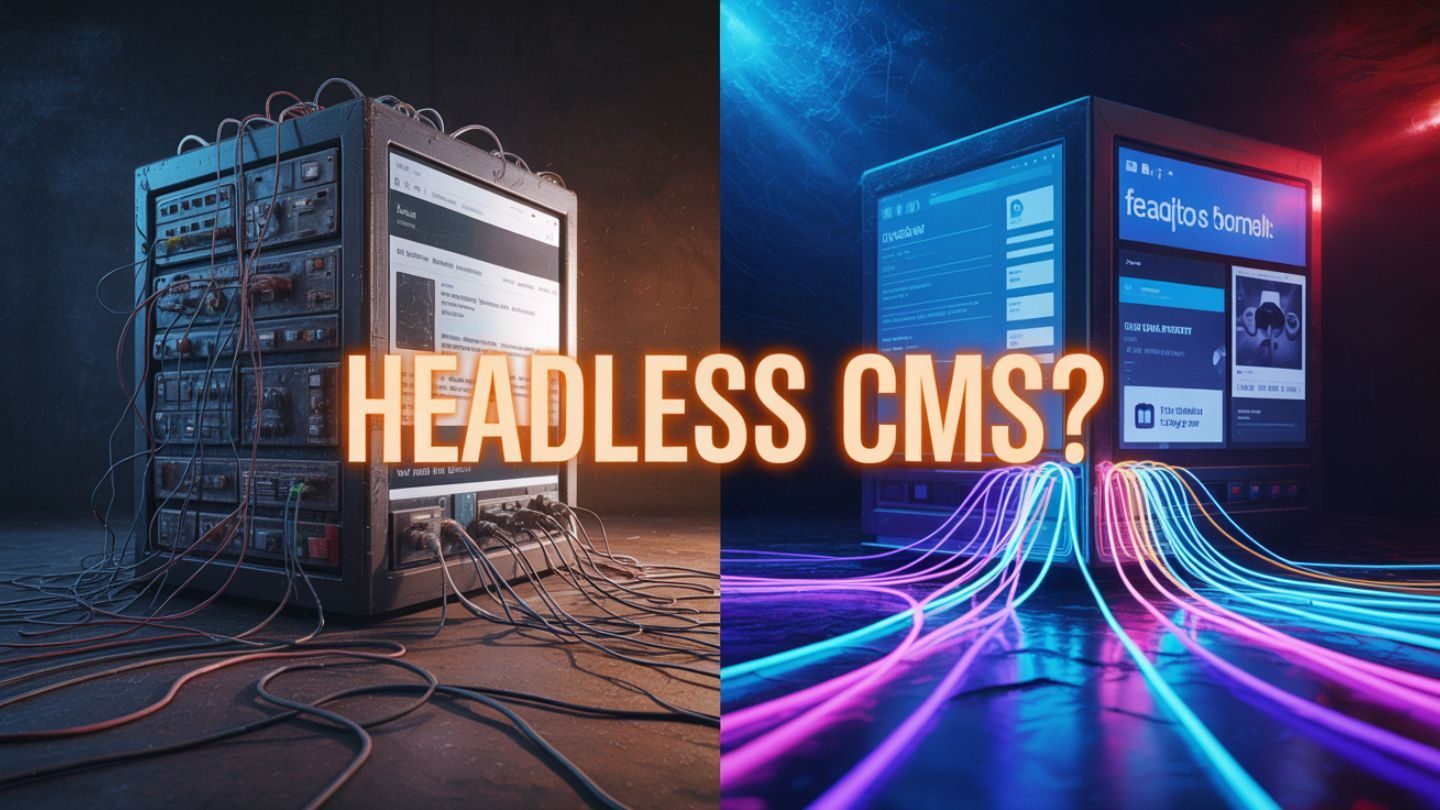
A traditional CMS handles everything in one package. It stores content, manages templates, and renders pages for a single website, with the back end and front end tightly connected. Popular platforms like WordPress, Webflow, and Wix are typically used in this all-in-one way, which works well for many sites but becomes limiting when content needs to appear on an app or a digital kiosk.
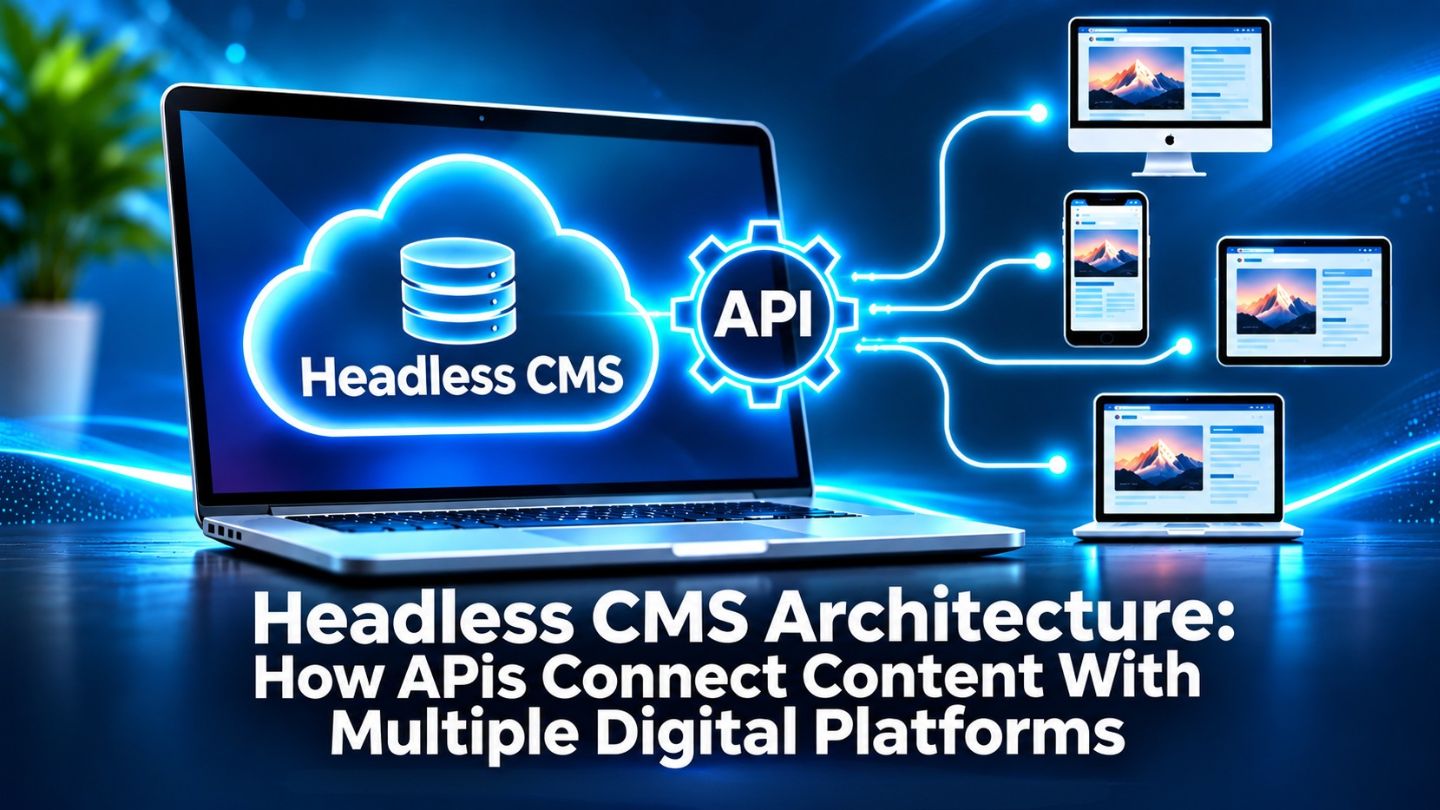
A headless CMS removes the "head," meaning the built-in presentation layer. It focuses only on storing and organizing content, then makes that content available through APIs. Developers build separate front ends, sometimes several of them, that request the content and display it however each platform requires. The content lives in one place, while the way it looks can change from one channel to the next.
The Building Blocks of a Headless Setup
- A content repository where editors create and manage content.
- APIs that deliver content in a structured format.
- Front ends such as websites, apps, and digital displays.
- Webhooks and integrations that keep everything in sync.
Read More: Dynamic URLs vs Static URLs: Key Differences and Performance Comparison
How APIs Connect Content to Every Platform
What an API Request Looks Like
APIs, or application programming interfaces, act as messengers between the CMS and the platforms that display content. When a website or app needs a product description or blog post, it sends a request to the CMS API, which returns the content in a structured format, usually JSON. The front end then turns that data into a page, a screen, a notification, or whatever format the platform supports.
REST, GraphQL, and Webhooks
Most headless platforms offer REST APIs, GraphQL APIs, or both. REST APIs return predefined sets of data from specific endpoints, while GraphQL lets each front end request exactly the fields it needs, which can reduce wasted data on mobile devices. Many systems also use webhooks to notify other services when content changes, so a website can rebuild or a cache can refresh automatically.
Content Modeling Makes Reuse Possible
The real power of a headless CMS comes from structured content. Instead of writing a page as one large block of text, editors fill in defined fields such as title, summary, body, image, price, and call to action. Each field can be requested individually, which lets a mobile app show only a summary while the website displays the full article, all drawn from the same source.
Planning these content models takes thought. Teams need to decide which content types exist, how they relate to each other, and which fields every platform will need. Good modeling follows the same logic as solid website structure, organizing information so it is easy to find, reuse, and update without creating duplicates or inconsistencies across channels.
Content is created once in the CMS and delivered to every platform through APIs.
Where Headless Architecture Shines
Headless setups suit businesses that publish across many channels or need highly customized digital experiences. Retailers can push the same product data to a website, an app, and marketplace listings. Media companies can distribute articles to the web, newsletters, and smart devices. Brands with several regional sites can manage shared content centrally while letting each site present it differently.
Performance and flexibility are major draws as well. Front ends built with modern frameworks can be extremely fast, and developers can redesign a website without migrating content. Online stores in particular gain from this separation, and the benefits of headless CMS for e-commerce websites include faster storefronts, easier experimentation, and smoother expansion into new sales channels.
The Trade-Offs to Consider Before Switching
Headless is not the right choice for every business. Without a built-in front end, someone has to build and maintain each presentation layer, which increases development time and cost. Editors may lose the simple page previews they are used to unless the team sets up preview environments, and features that come standard in traditional systems, such as forms or menus, may need custom work.
Search visibility needs careful planning too. Many headless front ends are built as static or JavaScript-heavy sites, and those approaches can introduce rendering, metadata, and internal linking problems if they are not handled properly. The static website SEO issues that can hurt rankings are worth reviewing early, so the new architecture supports discoverability rather than undermining it.
Headless setups trade convenience for flexibility across channels.
Keeping Design Consistent Across Every Front End
When content flows to several platforms, visual consistency becomes a real challenge. Each front end may be built by a different team or with a different technology, and without shared standards, colors, typography, icons, and imagery can drift apart. Customers notice when an app feels different from the website, and that inconsistency can quietly weaken trust in the brand. It is the same mechanism behind how consistent brand design improves customer recognition, applied across front ends rather than campaigns.
Design systems solve much of this. A shared library of components, styles, and visual guidelines gives every team the same building blocks, while design tokens store values like colors and spacing in a format multiple platforms can use. Storing image assets in the CMS with defined sizes and crops also helps visuals display correctly on every screen, from large desktop monitors to small mobile devices.
Planning a Move to Headless Architecture
Moving to a headless CMS is a significant project, so careful planning pays off. Start by listing every place content currently appears and every place it might need to appear in the next few years. Audit existing content to decide what should be migrated, restructured, or retired, and map how current page types will translate into structured content models.
Involve editors, designers, and developers from the start. Editors need workflows they can use comfortably, designers need to know how components will display across front ends, and developers need clear requirements for APIs and integrations. A phased approach, such as launching one front end first and expanding from there, reduces risk and gives the team time to refine the setup before it carries everything.
Read More: Website Migration Checklist: Steps for Success
Keeping Editors Productive in a Headless Setup

The success of a headless CMS depends heavily on the people who use it every day. If editors find the interface confusing or cannot preview their work, publishing slows down, and mistakes slip through. Clear field labels, helpful instructions inside the editing screens, and sensible defaults make structured content far easier to manage for people who are not developers.
Preview environments are especially valuable. They let editors see how content will look on the website or app before it goes live, restoring some of the confidence a traditional CMS provides. Combined with simple approval workflows and regular feedback sessions, these tools help the content team embrace the new system rather than working around it.
Building a Content Foundation for Every Channel
Headless CMS architecture separates content from presentation, using APIs to deliver the same structured content to websites, apps, and other platforms. With thoughtful content modeling, it enables reuse, speed, and flexibility across channels, though it also demands more development effort and careful planning for search and design consistency. For businesses publishing in many places, it can provide a scalable foundation that grows with their digital presence.
At The Ocean Marketing, we help businesses create digital experiences that look consistent and work smoothly across every platform. Our Graphic Design Services deliver brand visuals and design systems that adapt to websites, apps, and campaigns, and a free SEO audit can show how well your current site supports visibility. Contact us to talk about a design foundation that scales with your content.
Frequently Asked Questions
What is the difference between a headless CMS and a traditional CMS?
A traditional CMS stores content and displays it on one website. A headless CMS only stores and manages content, delivering it through APIs to any number of front ends.
Is a headless CMS good for small businesses?
Not always. Small businesses with a single website often do well with a traditional CMS. Headless makes more sense when content needs to appear on multiple platforms or requires a highly custom front end.
Does a headless CMS affect search visibility?
It can, positively or negatively. Fast front ends help, but rendering, metadata, and linking need careful setup so search engines can crawl and understand the content.