
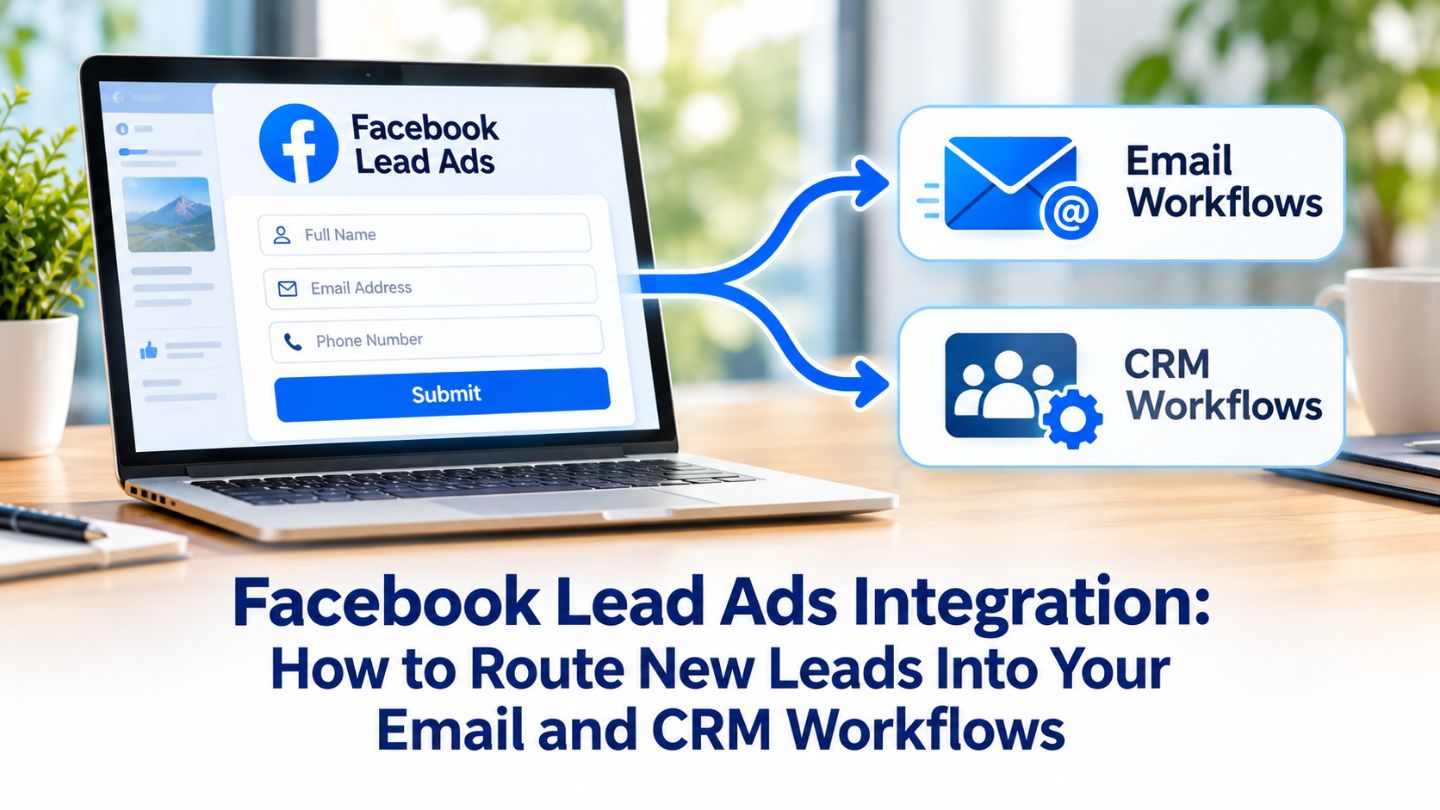
Facebook Lead Ads make it easy for people to raise their hand. With a few taps, they submit their details through a pre-filled form without leaving the app. But many businesses lose the value of those leads afterward, letting them sit in a dashboard until someone remembers to download a spreadsheet. By then, the prospect has moved on. This blog outlines how to route Facebook Lead Ads into email and CRM workflows, from connection options and field mapping to follow-up automation, testing, and tracking lead quality.
Key Takeaways
- Lead Ads collect contact details through instant forms inside Facebook and Instagram.
- Leads should flow automatically into your CRM and email tools, not sit in a dashboard.
- Clean field mapping keeps data accurate and usable.
- Fast, automated follow-up dramatically improves the chance of converting leads.
- Sending outcome data back to Meta helps campaigns find better leads.
Why Lead Routing Matters So Much
Lead Ads remove friction for the person filling out the form, but that convenience creates a timing challenge for the business. Someone who submits a form while scrolling is interested in that moment, and that interest fades quickly. A response within minutes feels helpful and relevant, while a response days later often reaches someone who barely remembers asking.
Manual downloads also introduce errors and delays. Spreadsheets get forgotten, leads get copied incorrectly, and nobody knows who should follow up. Routing leads automatically into the systems your team already uses closes those gaps, ensuring every inquiry reaches the right person and enters the right workflow as soon as it arrives.
Where Facebook Stores Your Leads
When someone submits an instant form, Meta stores the lead and makes it available through tools such as Meta Business Suite and its Leads Center, where leads can be viewed, managed, and downloaded. Leads can be downloaded only for a limited time after collection, so relying on manual exports risks losing access to older submissions.
Access settings matter as well. Only people and apps with the right permissions can view or retrieve leads, and those permissions are managed at the business and page level. Business tools have changed over the years, as the shift covered in Facebook Creator Studio vs Meta Business Suite shows, so it is worth confirming that the right team members and integrations have access before launching a campaign.
Choosing How to Connect Your CRM
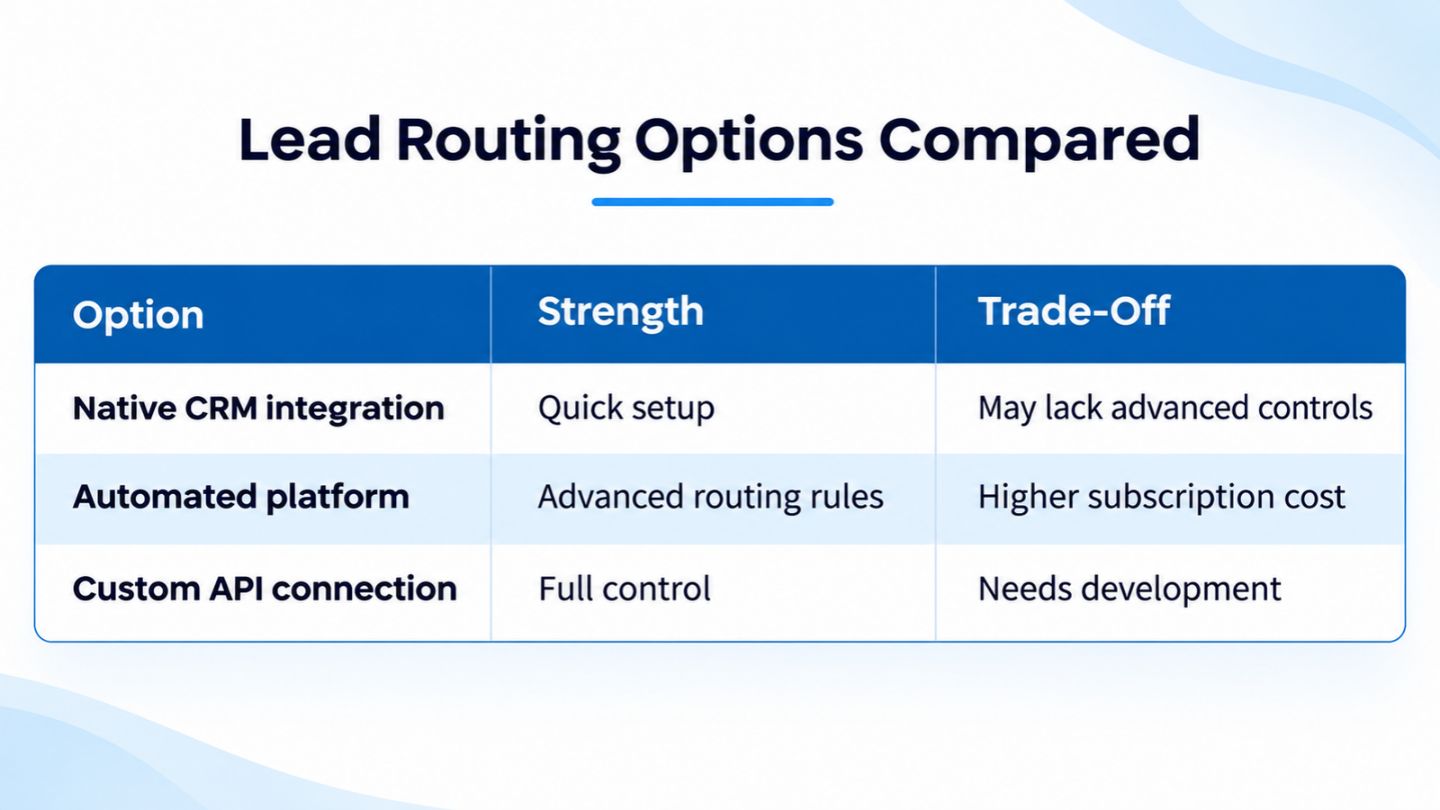
There are several ways to move leads into a CRM. Many popular CRMs offer direct integrations with Facebook Lead Ads that can be set up through Meta's business tools or within the CRM itself. Automation platforms can connect Lead Ads with tools that lack a native integration, passing each new lead along as soon as it arrives.
Larger businesses sometimes build custom connections using Meta's APIs and webhooks, which allow full control over how data is processed and where it goes. The right choice depends on the CRM in use, the volume of leads, technical resources, and how complex the follow-up process needs to be. Simpler options usually work well for small and mid-sized businesses.
- Native CRM integrations with Facebook Lead Ads.
- Automation platforms that pass leads between tools.
- Email marketing platforms with built-in lead syncing.
- Custom API and webhook connections for complex needs.
The right connection method depends on your tools, volume, and resources.
Mapping Fields So Data Stays Clean
Field mapping decides where each piece of information lands. Names, emails, phone numbers, and custom questions from the form must match the correct fields in the CRM or email platform. Mismatched fields lead to messy records, such as phone numbers in the wrong column or answers to qualifying questions that disappear entirely.
Plan the form and the CRM together. Use clear, consistent field names, keep custom questions short, and decide in advance how answers will be used, such as assigning leads to a specific salesperson or service. Adding source details, like the campaign or form name, helps the team understand where each lead came from and which campaigns produce the best results.
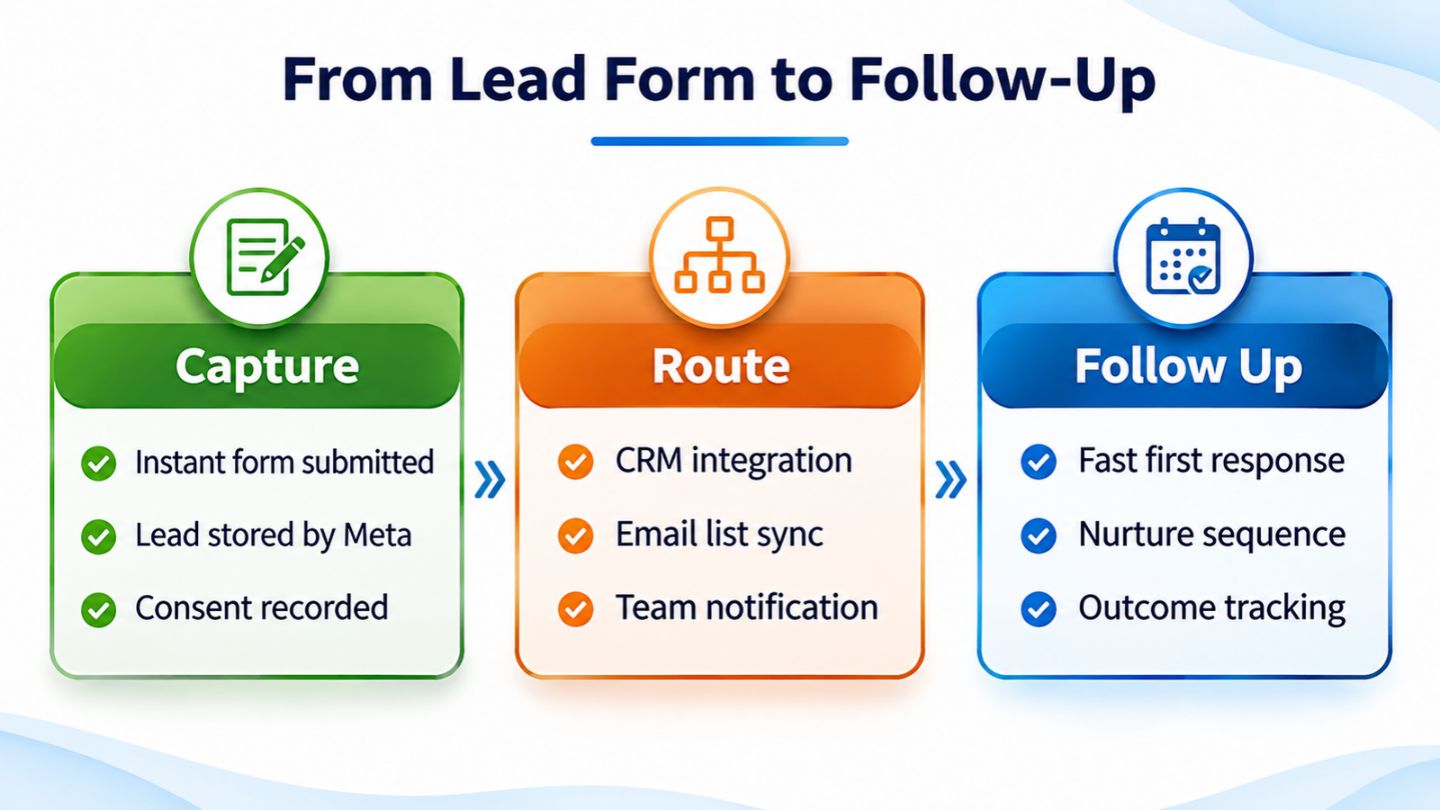
A connected workflow moves each new lead from the form to the right person within minutes.
Building Fast, Automated Follow-Up
Once leads reach the CRM or email platform, automation can take over the first steps. An instant confirmation email thanks the person and sets expectations, while a notification alerts the right team member by email, text, or within the CRM. For high-value services, a quick phone call within minutes often produces far better results than any email.
Nurture sequences help leads that are not ready to buy right away. A short series of helpful emails, such as answers to common questions, case studies, or a reminder to book a consultation, keeps the business top of mind. These sequences work best when they match the stage people are in, an idea central to any social media funnel strategy that turns attention into action.
Read More: How to Optimize PPC Campaigns for Higher Quality Leads
Respecting Consent and Privacy

Lead Ads collect personal information, so privacy needs careful attention. Every form should link to the business's privacy policy, and any additional consent, such as permission to receive marketing emails, should be requested clearly. Adding people to email lists without proper consent can break platform rules and email laws, and it damages trust.
Data should be stored securely and shared only with the people and tools that need it. Limiting access in the CRM, removing unnecessary integrations, and reviewing permissions regularly reduce risk. Being transparent in follow-up messages about why someone is being contacted also helps the conversation start on the right foot.
Testing the Integration Before Launch
Every integration should be tested before money is spent on ads. Meta offers testing tools that let businesses submit sample leads and confirm they reach the CRM correctly. Check that every field maps properly, notifications arrive, automated emails send, and the lead appears in the right pipeline or list.
Testing should be repeated whenever forms, fields, or integrations change. A new custom question or an updated CRM field can quietly break a connection that worked last month. Setting a simple alert for days with zero leads during active campaigns also helps catch problems before they cost real opportunities.
Closing the Loop With Lead Quality Data
Routing leads is only half the picture. Tracking what happens next, such as which leads booked appointments, became customers, or turned out to be unqualified, reveals which campaigns actually drive business. That data helps teams refine targeting, questions, and offers, rather than judging campaigns only on the number of form submissions. It also informs setup decisions upstream, since the Meta Ads campaign objectives chosen at launch shape the kind of leads a form attracts in the first place.
Sharing outcome data back with Meta, through tools like the Conversions API, helps the delivery system find people more likely to become real customers. Combining this with a Facebook retargeting strategy to re-engage website visitors, and following up in other channels like Instagram DM marketing, builds a fuller system for turning interest into sales.
Bringing Leads From Every Channel Into One System

Facebook Lead Ads are rarely the only source of inquiries. Website forms, phone calls, live chat, and social messages all bring in potential customers, and keeping them in separate places makes follow-up inconsistent. Routing every source into the same CRM gives the team one clear view of all new leads and their status.
Conversations that start in messaging deserve the same structure. Leads from Instagram DM marketing can be captured with the same fields, tags, and follow-up rules as form leads, so no inquiry is treated as less important simply because of where it began. Consistent tagging by source also makes it easier to compare which channels bring the most valuable customers.
Read More: Google Ads Call Tracking: How to Measure Phone Leads Accurately
Turning Form Fills Into Real Conversations
Facebook Lead Ads are only as valuable as the follow-up that comes after them. Connecting forms to a CRM and email platform, mapping fields carefully, automating fast responses, respecting privacy, testing thoroughly, and tracking lead quality ensures every inquiry reaches the right person at the right time. The result is fewer lost leads and a clearer picture of which campaigns truly pay off.
At The Ocean Marketing, we help businesses build lead generation systems that connect ads, forms, and follow-up into one smooth workflow. Our social media marketing team plans and manages Lead Ads campaigns built for real results, and a free SEO audit can show how your website supports your lead generation. Contact us to make sure every new lead gets the attention it deserves.
Frequently Asked Questions
Where do Facebook Lead Ads leads go by default?
Leads are stored by Meta and can be viewed and downloaded through Meta's business tools, such as the Leads Center. Connecting a CRM moves them automatically to your own systems.
How quickly should I follow up on a Facebook lead?
As fast as possible, ideally within minutes. Interest fades quickly, so automated confirmations and instant team notifications make a big difference.
Can I add Lead Ads contacts to my email newsletter?
Only if they have given appropriate consent. Ask clearly on the form and follow email marketing laws and platform policies.