
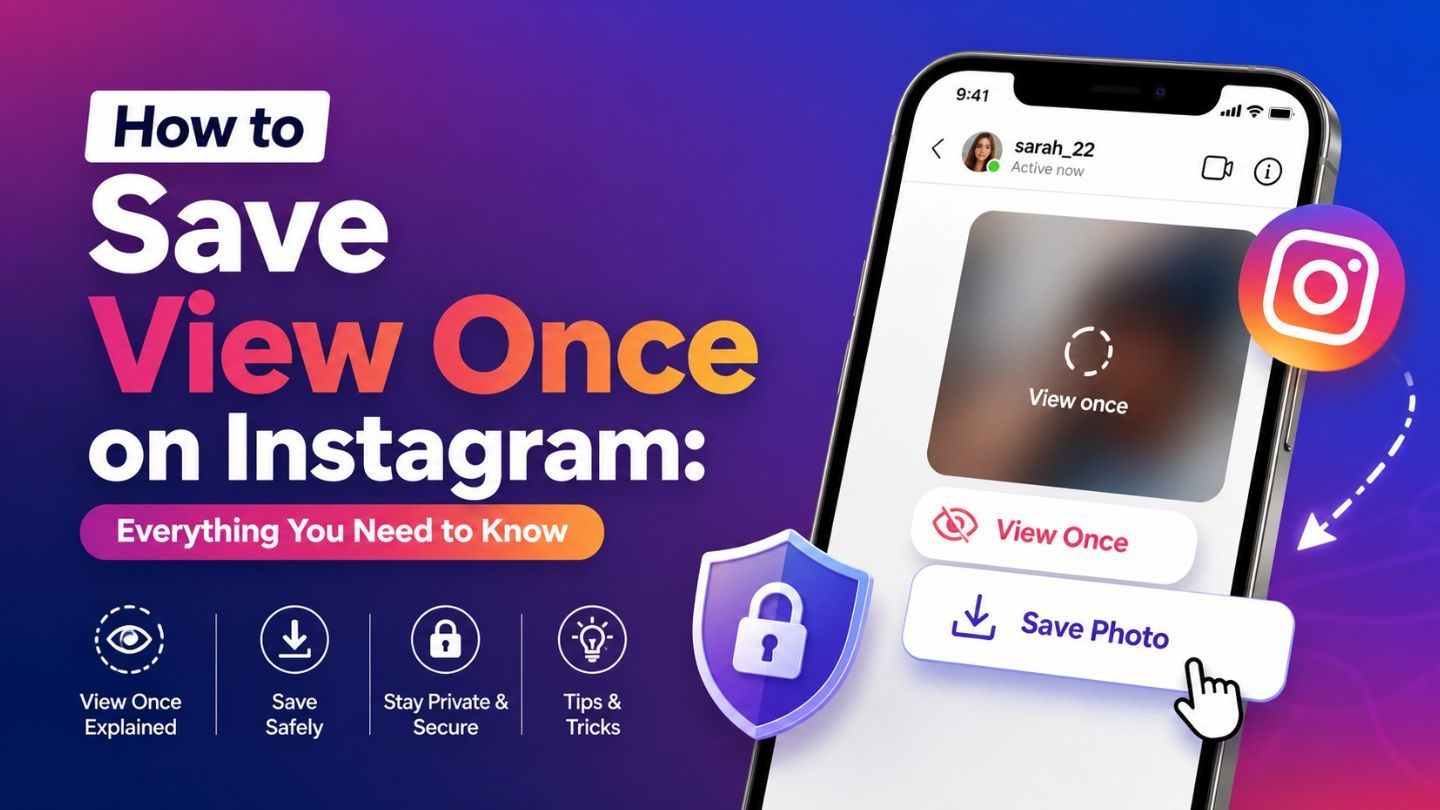
Instagram's View Once feature has drawn a lot of attention for its privacy-first approach to sharing photos and videos. A View Once message can be opened a single time and then disappears from the chat. Naturally, that has people asking whether the content can be saved or opened again.
The short answer to how to save a View Once photo on Instagram: there's no download or save option for View Once photos and videos, and it now blocks screenshots and screen recordings of them inside the app. The only reliable way to keep a copy is to ask the sender to resend it as a regular photo.
This guide covers how View Once works, how it differs from Allow Replay, what happens when people try to save it, and the safer ways to keep information you actually need, all while respecting the sender's privacy.
Key Takeaways
- Instagram doesn't let recipients save or download View Once photos or videos.
- Instagram blocks in-app screenshots and screen recordings of View Once and Allow Replay media.
- Allow Replay gives one extra viewing, not a permanent copy.
- Third-party “View Once saver” apps can compromise your account security.
- Asking the sender to resend the media as a regular photo is the safest and most ethical option.
- View Once is designed for temporary communication, not storage.
Understanding the View Once Feature on Instagram
View Once is built for temporary communication, where content is meant to disappear right after it's seen. When someone sends a photo or video with this option, you can open it once. As soon as you close it, it's gone from the chat. The sender's choice of limited visibility is enforced by the app.
This reflects a wider shift in social media toward giving users more control over how their content is shared. The feature suits quick updates, private moments or information that doesn't need to stay in a conversation thread. It also reduces the chance of media being stored, forwarded or misused without consent.
The same design creates limits for recipients who want to revisit something later. Instagram deliberately has no built-in option to download or replay View Once media, because not every shared photo is meant to be permanent.
View Once vs Allow Replay vs Keep in chat
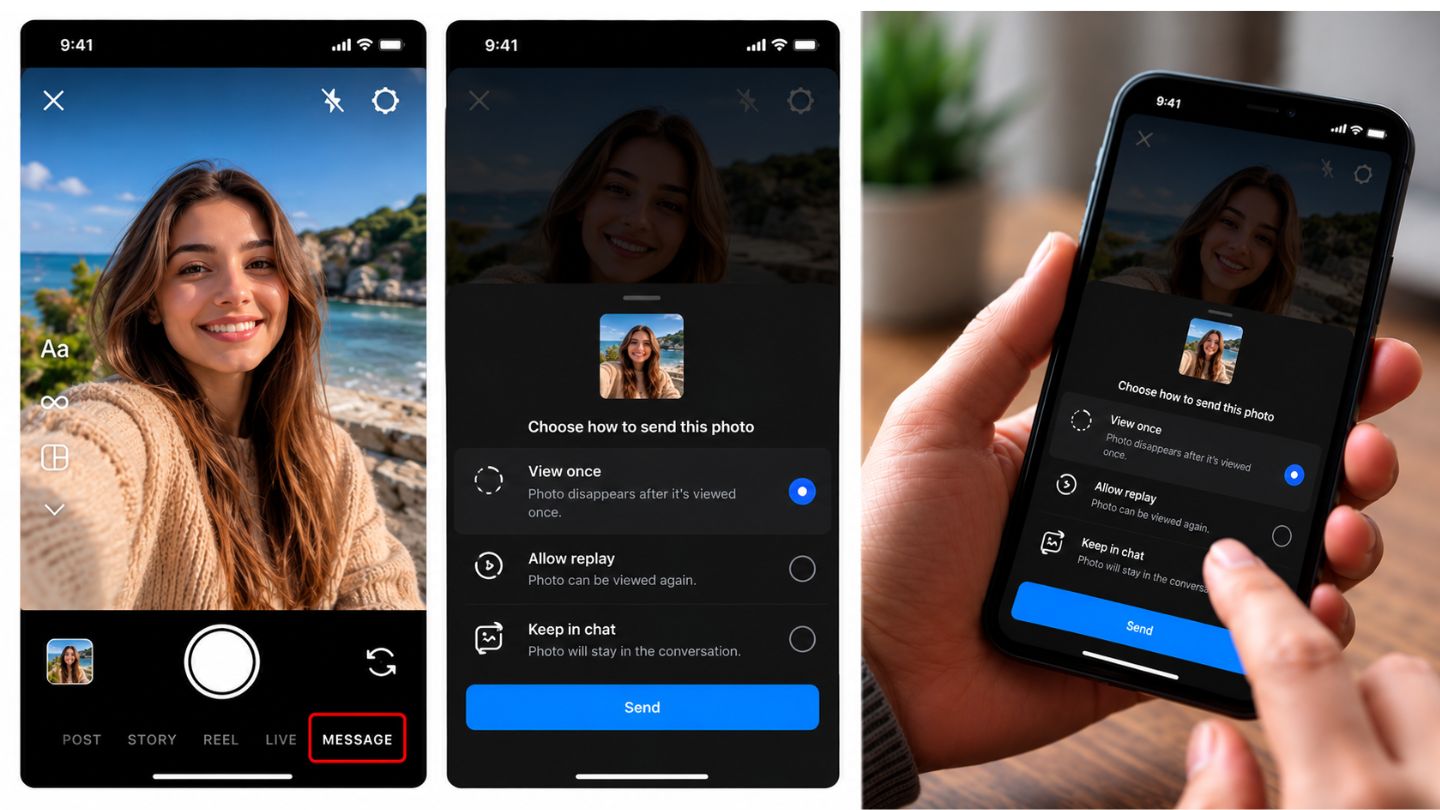
When you send a photo or video taken with the in-chat camera, Instagram offers three options. Knowing which one was used tells you what you can do with it.
| Option | How many views | Can the recipient save it? | Screenshots |
|---|---|---|---|
| View once | One | No | Blocked in the app |
| Allow replay | One replay after the first view | No | Blocked in the app |
| Keep in chat | Unlimited | Yes, it stays in the thread | Allowed, no notification |
Photos sent from your camera roll as ordinary attachments behave like “Keep in chat.” If a photo is still sitting in the conversation and opens normally, it wasn't sent as View Once.
Can You Save View Once Content on Instagram?
No. Instagram doesn't offer any official way to save View Once content. Once the media is opened and closed, it disappears, with no replay, download or recovery option. This isn't a missing feature. It's a deliberate choice that matches the purpose of View Once.
Many people still look for a way to keep these photos or videos, especially when they contain something meaningful or useful. Before trying, consider why the sender chose this format. In most cases, they didn't want the media stored or viewed repeatedly. Respecting that is part of responsible digital behavior, and working around it can cause privacy problems, misunderstandings and even platform violations.
How to Save a One-Time Photo on Instagram With the Sender's Help
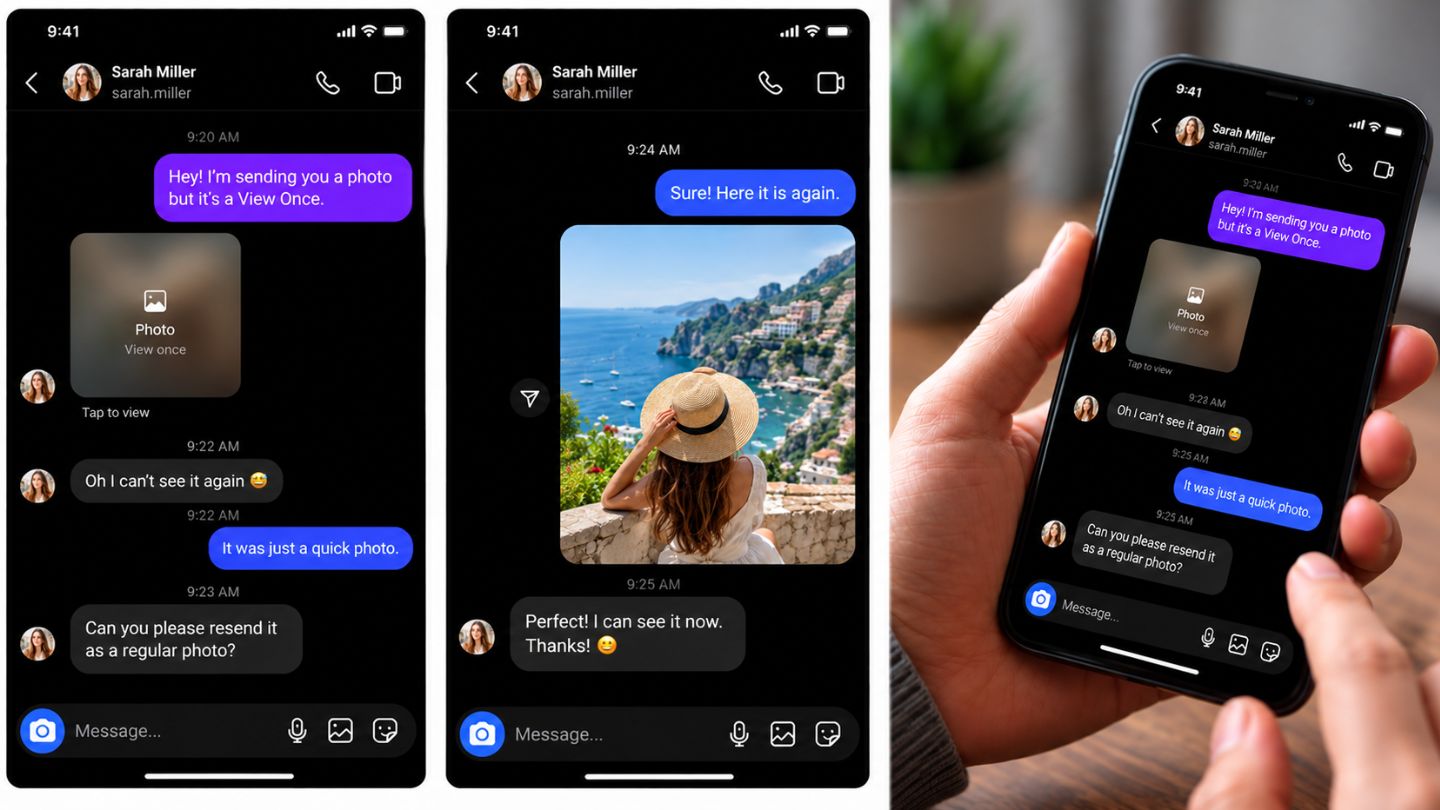
If you genuinely need the content, the reliable route is the person who sent it:
- Reply in the chat and ask whether they're comfortable sharing a permanent copy.
- Say why you need it, for example an event address, a receipt or a project reference.
- Ask them to resend it from their camera roll or with Keep in chat selected.
- Once it arrives as a regular photo, open it and tap and hold to save, or save it from the chat's media view.
- Agree before forwarding it to anyone else.
A simple message works: “Could you resend that as a normal photo? I need to refer back to it.” If the sender meant for the content to disappear, respect that decision.
Can You Download a View Once Photo After Opening It?
No. If you're wondering how to download a one-time photo on Instagram after opening it, there isn't a way. Once a View Once photo or video has been opened and closed, there's no recipient-side recovery. It isn't hidden in your archive, your phone's gallery or Instagram's “Your activity” section. Downloading your Instagram data also won't bring it back for you.
If you haven't opened it yet, it will still be available to view once, but the same rules apply: no save button and no screenshots. If you need it permanently, ask before you open it.
Common Methods People Try and Why They Fail
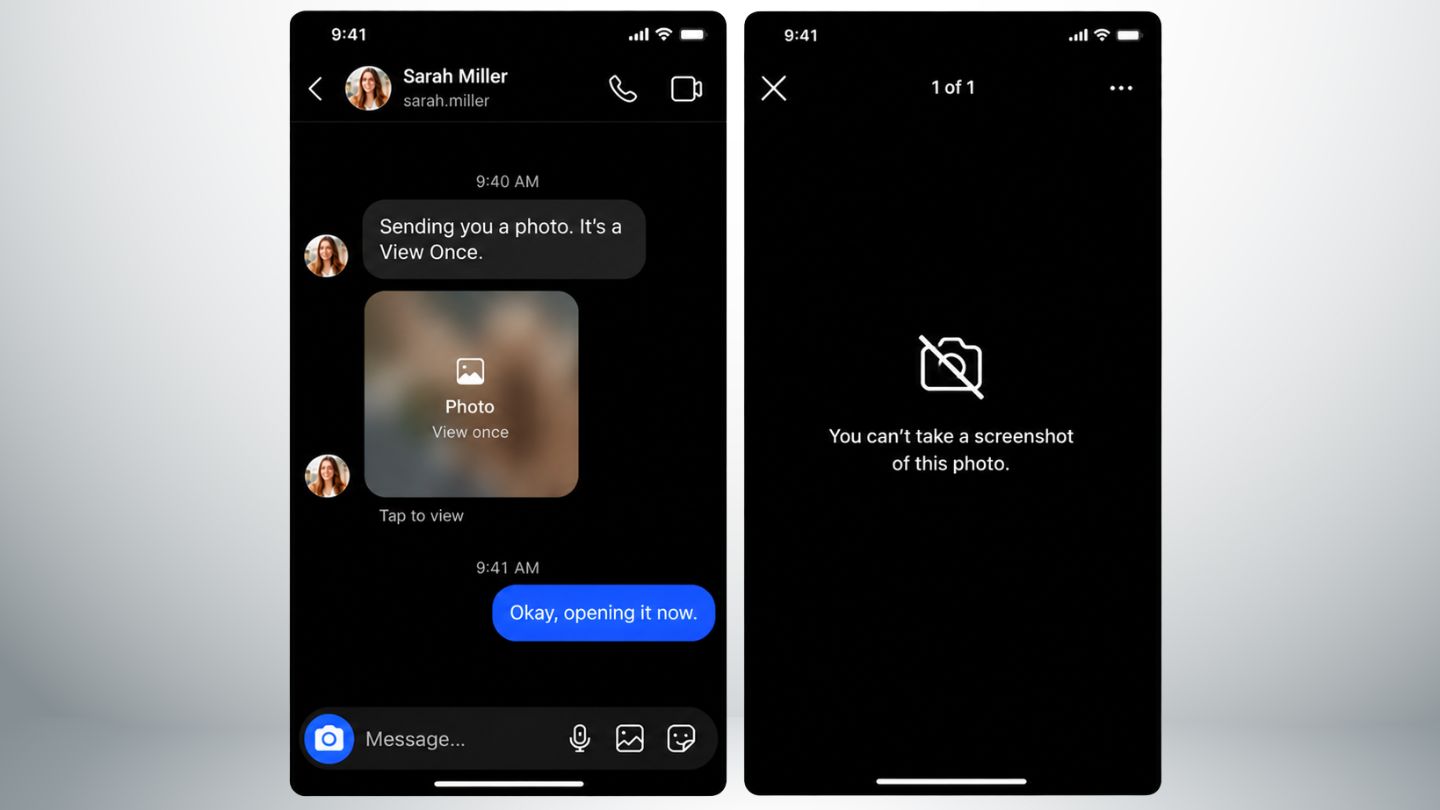
People try a few workarounds to save View Once content. None of them are dependable.
Screenshots. In October 2024, Meta announced that Instagram would block screenshots and screen recordings of View Once and Allow Replay photos and videos. On current app versions, the capture usually comes out black or the app prevents it. Older guides describe a notification to the sender; on updated apps, blocking has largely replaced that. Understanding whether Instagram notifies when you screenshot a post helps separate regular screenshot behavior from disappearing-media rules.
Screen recording. The same protection applies. Recordings typically show a blank screen while the media is open (our guide on whether Instagram detects screen recording covers other content types). Instagram also stopped allowing View Once and Allow Replay media to be opened on the web version, which closes the desktop route.
Another device. Some people photograph their screen with a second phone. The quality is poor, and it directly overrides the sender's choice, which raises the privacy issues covered below.
These methods may look convenient, but none is a reliable or ethical way to save View Once content.
Risks of Trying to Save View Once Media
Working around Instagram's restrictions can cause problems beyond a failed screenshot.
“View Once saver” and downloader apps
Search for “Instagram View Once photo download” and you'll find apps and websites claiming to save disappearing media. Before using any of them, ask what access they need. Many request your Instagram username and password, a verification code or broad device permissions. That can lead to a hacked account, data theft or spam sent from your profile. A tool that downloads public posts can't access private disappearing messages, whatever its marketing says.
Account and platform risk
Sharing your login with third-party tools breaks Instagram's Terms of Use, and Instagram may flag unusual login activity. That can mean security checks, temporary restrictions or, in serious cases, losing the account.
Trust and legal risk
Saving someone's private content without consent damages trust and can cause conflict in personal or professional relationships. Depending on the content and where you live, sharing it without permission can also create legal issues. The technical and ethical risks together make it rarely worth trying.
Ethical Considerations and User Responsibility
Beyond the technical limits, the biggest factor is ethics. A sender who chooses View Once is making a clear decision about how their content should be seen. Ignoring that and trying to keep the media goes against consent, which is central to digital communication.
Privacy awareness goes beyond disappearing media. Many users manage profile visibility through settings connected to hiding followers on Instagram, which shows that consent and control matter across the whole platform. Where content can be copied and shared instantly, respecting boundaries matters even more. The responsible approach is to ask the sender for the content in a format you're allowed to keep.
Better Alternatives to Save Important Information
Instead of unreliable or risky methods, use these options:
- Ask for a resend. Most people will share content again if there's a good reason.
- Write down key details. If the photo shows an address, a name or instructions, note them right after viewing.
- Ask for text. Request that important information be sent as a regular message you can scroll back to.
- Use permanent channels for work. Businesses and teams shouldn't send critical details through View Once. Delivery instructions, approvals and payment references belong in a format both sides can revisit.
Why Instagram Restricts Saving View Once Content
Restricting View Once media is part of a broader move toward privacy-focused features. As users learn more about how their data is stored and shared, they want more control. Meta has said the capture block is designed in part to protect people, especially teens, from having private images saved and misused. Meta's October 2024 announcement describes the change.
The same concern drives visibility controls elsewhere in the app, such as deciding who can see Instagram Highlights, where users want clear control over what stays visible and who can access it. These restrictions build trust: senders can share knowing their content won't be saved without permission, and recipients are encouraged to respect that.
Is Instagram Instants the Same as View Once?
No. Instants is a separate feature Meta announced in May 2026 for sharing quick, in-the-moment photos that disappear after they're viewed. Like View Once, recipients can't screenshot or record them. The sender can see their own Instants in an archive, but that doesn't give the recipient a download option. If you're trying to keep something, first work out which feature was used. Meta's Instants announcement has the details.
Impact on Social Media Marketing
For businesses and marketers, View Once brings both challenges and opportunities. It limits what can be stored, but it also adds urgency and exclusivity. Temporary content encourages people to pay attention and respond quickly, which suits limited-time offers, sneak peeks and personal one-to-one interactions with followers.
Marketers shouldn't rely on View Once for important communication. Product details, pricing and campaign instructions should always go out in a format people can revisit. Combining temporary and permanent content gives you both engagement and clarity.
Final Thoughts
Instagram's View Once feature puts privacy first: photos and videos sent this way disappear after one view, and the app blocks screenshots and recordings of them. This guide covered how the feature works, how it differs from Allow Replay and Instants, why saving isn't officially possible, and the risks of the workarounds people try. The safest approach is also the simplest: respect the sender's choice, and if you need something, ask for a copy you're allowed to keep.
At The Ocean Marketing, we help brands adapt to platform changes through social media marketing strategies that fit how people actually use these features. We also offer a free SEO audit to find growth opportunities and strengthen your online presence.
Frequently Asked Questions
Can I save a View Once video on Instagram?
No. Videos follow the same rules as photos. Ask the sender to share the original file.
Does Allow Replay mean I can keep the photo?
No. It gives you one more viewing, not a saved copy.
Will the sender know if I try to screenshot?
On current app versions, the screenshot is blocked rather than taken. Older versions showed the sender a screenshot indicator in the chat. Either way, the attempt won't give you a usable copy.
Can I see a View Once photo again if I didn't finish looking at it?
Once you close it, it's gone unless the sender chose Allow Replay. If you opened it by accident, ask them to send it again.