

Google now looks at the mobile version of most websites first. Googlebot Smartphone crawls pages as a phone would, and what it finds there largely shapes how a site is indexed and ranked. If important content, links, or resources are missing or broken on mobile, rankings can slip even when the desktop site looks perfect. This blog outlines the most common Googlebot Smartphone crawling issues, how to spot them, and which checks help keep mobile pages fully accessible to Google.
Key Takeaways
- Google primarily uses the mobile version of content for indexing and ranking.
- Mobile and desktop pages should share the same main content and metadata.
- Blocked resources and mobile-only noindex tags can stop pages from being indexed.
- Lazy-loaded content must load without user interaction.
- URL Inspection and crawl stats reveal how Googlebot Smartphone sees a site.
Why Googlebot Smartphone Matters So Much
With mobile-first indexing, Google uses the mobile version of a page as the main version for indexing and ranking. Googlebot Smartphone is the crawler that fetches those pages, simulating a mobile device as it requests and renders content. Whatever it sees, or fails to see, becomes the version Google evaluates in search.
That shift means desktop-only checks are no longer enough. A page can look complete on a laptop while its mobile version hides text, drops links, or fails to load images. Google's mobile-first indexing best practices explain why parity between versions matters, and why mobile optimization matters more than ever for every kind of website.
Missing or Reduced Content on Mobile
One of the most common issues is content that exists on desktop but not on mobile. Designers sometimes trim long text, remove sections, or hide reviews and FAQs to simplify small screens. If that content is missing from the mobile HTML, Google may never see it, and the page can lose relevance for the topics it used to cover.
Content hidden behind tabs or accordions is generally fine, as long as it is present in the page code. The real problem is content that is removed entirely or only loads after a user clicks or scrolls in ways a crawler will not. Checking the rendered mobile HTML confirms whether the full content is actually available to Googlebot Smartphone.
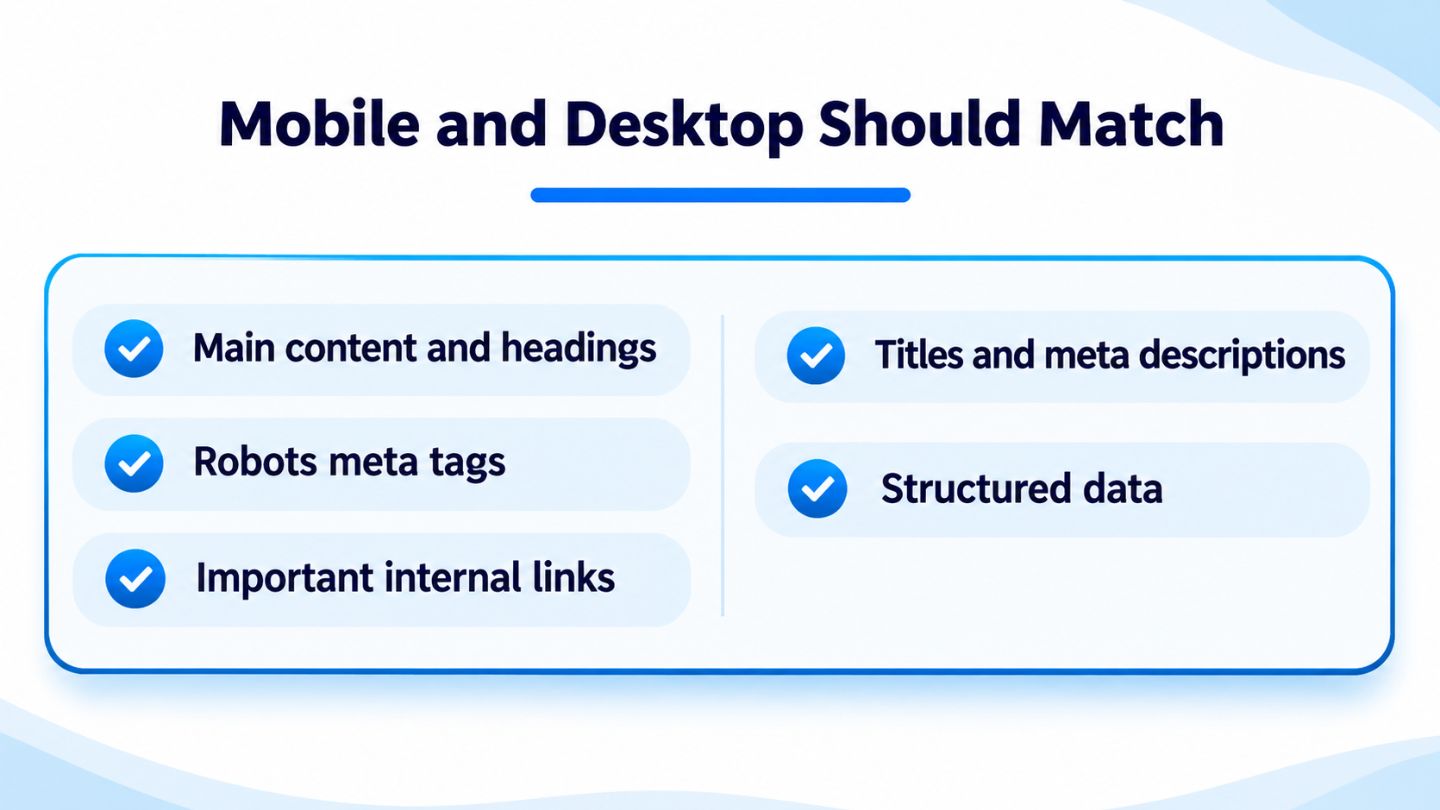
Keeping these elements the same on both versions avoids mobile indexing gaps.
Metadata and Structured Data Mismatches
Titles, meta descriptions, and robots directives should match between mobile and desktop. A common mistake is a mobile template that uses generic titles or, worse, includes a noindex tag that the desktop version does not. Because the mobile version is the one Google primarily indexes, a mobile-only noindex can remove pages from search results entirely.
Structured data needs the same attention. If product, review, or article markup appears on desktop pages but is missing from mobile, rich result eligibility can disappear. Comparing the mobile and desktop versions of key templates, including headings and internal links, helps catch these differences before they affect visibility.
- Same primary content and headings on both versions.
- Matching titles, descriptions, and robots meta tags.
- Identical structured data on mobile and desktop.
- The same important internal links available on mobile.
Blocked Resources and Rendering Problems
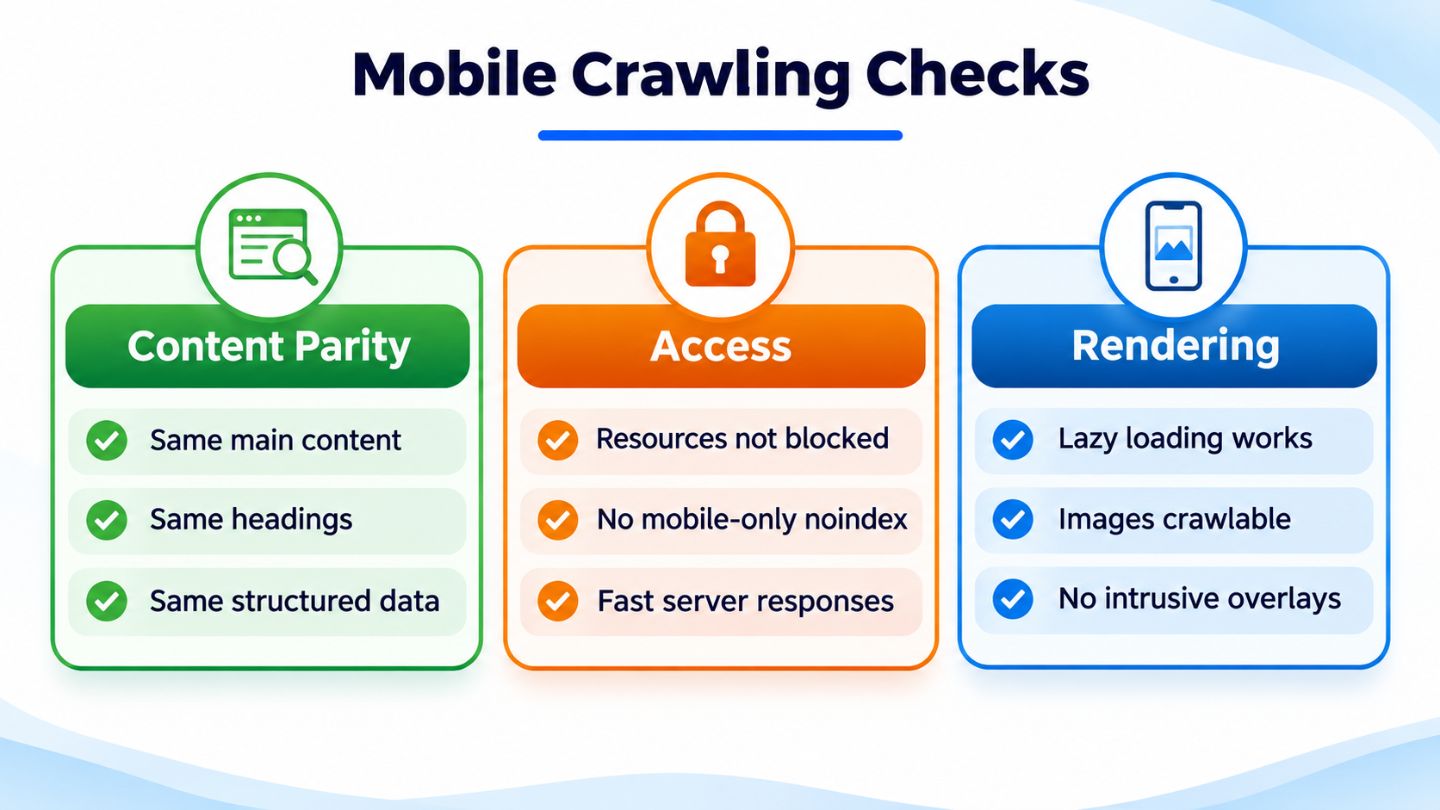
Googlebot Smartphone needs access to CSS, JavaScript, and images to render pages properly. If robots.txt blocks these resources, Google may see a broken or empty layout, which affects how it understands the page. Blocks added years ago for older crawling concerns are a frequent culprit and are worth reviewing carefully.
JavaScript-heavy pages add another layer. Content that depends on scripts must render successfully for Google to see it, and complex setups can delay or prevent that. Understanding the balance described in crawl vs rendering budget helps teams decide where to focus when large sites rely heavily on client-side rendering.
Most mobile crawling problems fall into three groups: parity, access, and rendering.
Read More: Robots.txt: SEO Landmine or Secret Weapon?
Lazy Loading, Images, and Interstitials
Lazy loading improves speed, but it can hide content from crawlers when implemented poorly. Google recommends avoiding lazy loading for primary content that requires user interactions, such as swiping or clicking, since Googlebot does not perform those actions. Images and text should load as they enter the viewport using methods search engines can process.
Images need care on mobile too. Using different, lower-quality images or missing alt text on mobile can weaken image search visibility. Intrusive pop-ups and interstitials that cover content on phones also create problems for users and can make it harder for crawlers to see the main content, so mobile overlays should be limited and easy to dismiss.
Server Capacity and Mobile Error Pages

Mobile crawling can increase the load on a server, especially for sites that previously saw most crawling from the desktop crawler. If the server struggles, Googlebot may encounter slow responses or errors, which can reduce how often it crawls. The Crawl Stats report in Search Console breaks down activity by Googlebot type, highlighting response times and server errors.
Some sites accidentally serve error pages or redirects only to mobile visitors, such as sending every mobile request to the homepage. These patterns can create soft 404 issues and remove deep pages from the index. Testing important URLs as a mobile user and reviewing server logs, while confirming that requests truly come from Googlebot, helps uncover these hidden problems.
Tools for Seeing What Googlebot Sees
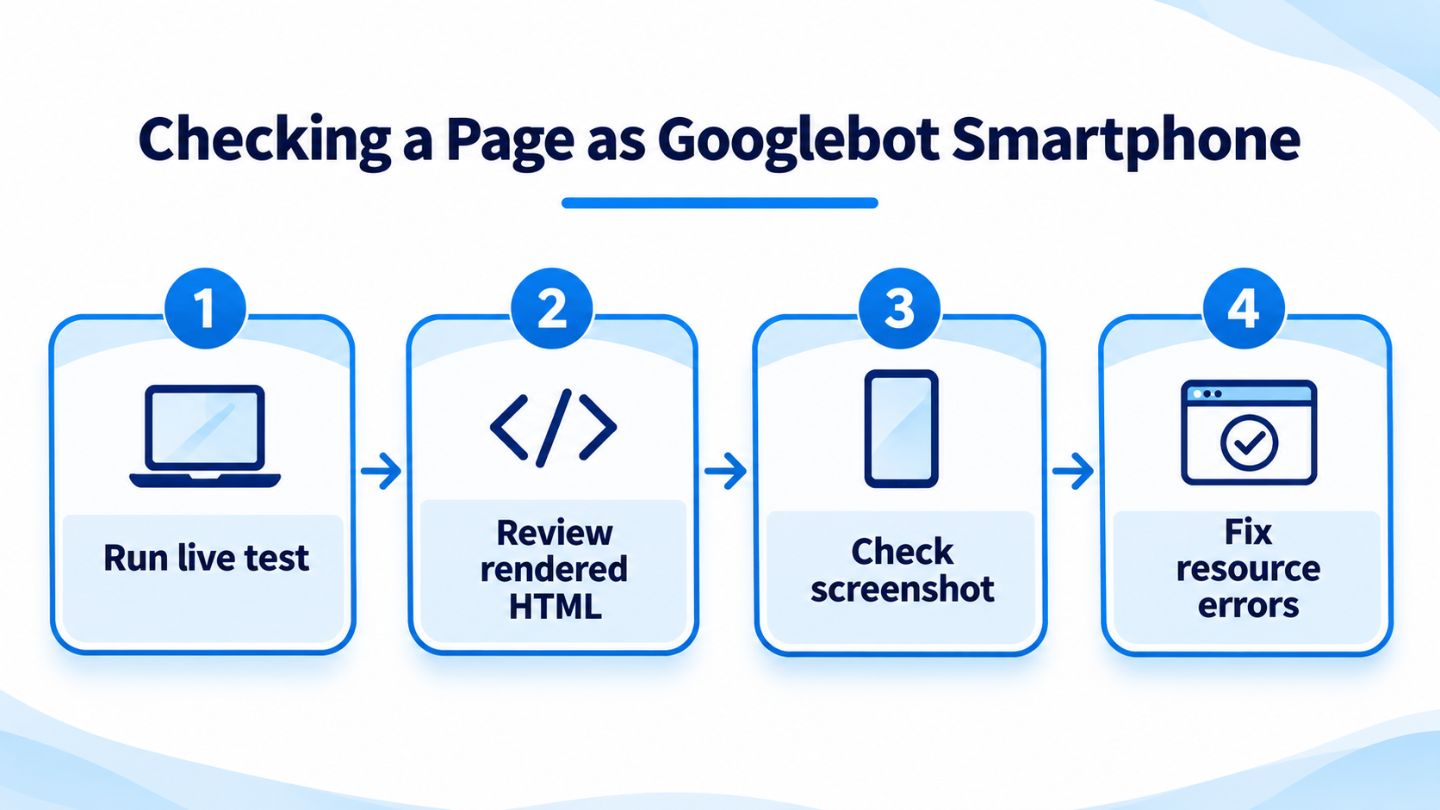
The URL Inspection tool in Search Console is the most direct way to check a page. Its live test fetches the page as Googlebot Smartphone and shows the rendered HTML, a screenshot, and any loading issues. Using URL inspection to diagnose indexing problems quickly reveals missing content, blocked resources, or unexpected noindex directives.
Server logs add a broader view by showing how often Googlebot Smartphone visits, which URLs it requests, and which responses it receives. Looking at patterns over time, alongside insights into Googlebot behavior, shows whether important sections are being crawled regularly or quietly ignored.
The URL Inspection live test shows exactly what Googlebot Smartphone can see.
Navigation and Internal Links on Small Screens
Mobile navigation often simplifies menus to save space, sometimes removing links to important categories or deep pages. If those links disappear from the mobile version, Googlebot Smartphone may discover and revisit those pages less often. Every important page should remain reachable through crawlable links on mobile, whether through the menu, in-content links, or the footer.
Breadcrumbs can help maintain structure without crowding the screen. Following breadcrumb best practices for a mobile-first strategy keeps hierarchy clear for both users and crawlers, while descriptive anchor text and logical linking between related pages help Google understand how the site fits together.
Read More: Mobile Menu Design: Common UX Problems and How to Fix Them
Using Server Logs to Spot Patterns
Server logs show exactly when Googlebot Smartphone visits, which URLs it requests, and how the server responds. Reviewing these logs reveals whether important sections are crawled regularly, whether certain URL patterns waste crawl activity, and whether errors appear only for mobile requests. Confirming that requests truly come from Google, through reverse DNS checks, keeps the analysis accurate.
Looking at trends over several weeks adds valuable context. A sudden drop in crawling, a spike in errors, or a section that Googlebot rarely visits can all point to technical issues worth investigating. Combining log data with insights into Googlebot behavior helps explain why some pages receive more attention than others.
Keeping Mobile Pages Fully Crawlable

Googlebot Smartphone is now the main lens through which Google sees most websites. Missing mobile content, mismatched metadata, blocked resources, poorly implemented lazy loading, server strain, and simplified navigation can all limit what it finds. Regularly comparing mobile and desktop versions, testing key pages with URL Inspection, and reviewing crawl data keep mobile pages complete, accessible, and ready to rank.
At The Ocean Marketing, we help businesses find and fix the technical issues that stop search engines from seeing their best content. Our SEO team audits mobile crawling, rendering, and indexing across every important template, and a free SEO audit can reveal problems you may not know exist. Contact us to make sure Google sees your site the way your customers do.
Frequently Asked Questions
What is Googlebot Smartphone?
It is Google's mobile crawler, which fetches and renders pages as a mobile device would. With mobile-first indexing, its view of a page is the main one Google uses.
Can content hidden in tabs on mobile still be indexed?
Yes, as long as the content is present in the page code. Problems arise when content is removed from mobile entirely or only loads after user interaction.
How can I see how Googlebot Smartphone views my page?
Use the live test in Search Console's URL Inspection tool, which shows the rendered HTML, a screenshot, and resource loading issues.