


Choosing a web host is one of those decisions that seems minor until it causes problems, and by then switching is a hassle. The host affects your site's speed, reliability, security, and your ability to get help when something breaks, all of which matter more than the monthly price that often drives the decision. These seven steps focus on the factors that genuinely matter rather than the marketing, so you make a choice you will not regret later.
Key Takeaways
- The host affects speed, reliability, security, and support.
- Match the hosting type to your actual needs, not the cheapest option.
- Reliability and uptime matter more than a low monthly price.
- Support quality becomes critical the moment something breaks.
- Plan for growth so you are not forced to migrate too soon.
Step 1: Understand What Hosting Affects

Before comparing providers, understand what the host actually influences, because that frames every other decision. Your host affects how fast your site loads, how reliably it stays online, how secure it is, and how easily you can get help, all of which shape both user experience and how the site performs. The host is infrastructure, and infrastructure quietly determines a lot.
Recognizing this prevents the common mistake of treating hosting as a commodity to buy on price alone. The cheapest option can cost far more in slow load times, downtime, and poor support than it saves in monthly fees, and a sound host supports the same goals as the site built on it, a choice weighed in custom website design versus templates and what Google prefers.
Step 2: Match the Hosting Type to Your Needs
Match the hosting type to your actual situation, because that matters more than finding the absolute cheapest plan. A small site has different requirements than a high-traffic one, and choosing a type that fits means you are not paying for capacity you do not need or, worse, constrained by capacity you lack.
The honest question is what your site actually requires in terms of traffic, performance, and resources, now and reasonably soon. Choosing based on that rather than the lowest advertised price gives you hosting that fits, part of the same investment question raised by AI website builders versus professional web designers.
Fit Beats Cheapest
The right hosting type for your needs beats the cheapest plan every time. Paying slightly more for a fit that works saves far more later.
Step 3: Prioritize Reliability and Uptime
Prioritize reliability, because it is one of the most important factors and one of the easiest to overlook when comparing prices. A host that saves you a little each month but whose site goes down regularly costs you visitors, trust, and search performance every time it happens. Uptime is a genuine differentiator worth paying for.
When comparing hosts, their reliability and uptime record deserve real weight rather than being an afterthought to price. A dependable host that keeps your site online consistently is worth more than a cheaper one that does not, because every outage is a cost in lost visitors and damaged trust. Reliability is the kind of thing you do not notice until it fails, which is exactly why it deserves attention before you choose.
Step 4: Check the Support Quality
Check support quality, because it becomes critical the moment something goes wrong, which it eventually will. A host with responsive, knowledgeable support turns a problem into a quick fix, while a host with poor support turns the same problem into hours of frustration and downtime.
It is worth investigating a host's support before committing: how to reach them, how responsive they are, and whether they can actually help. This is one of those factors that does not show up in a feature comparison but matters enormously in practice, since the day you need support is the day you find out whether you chose well.
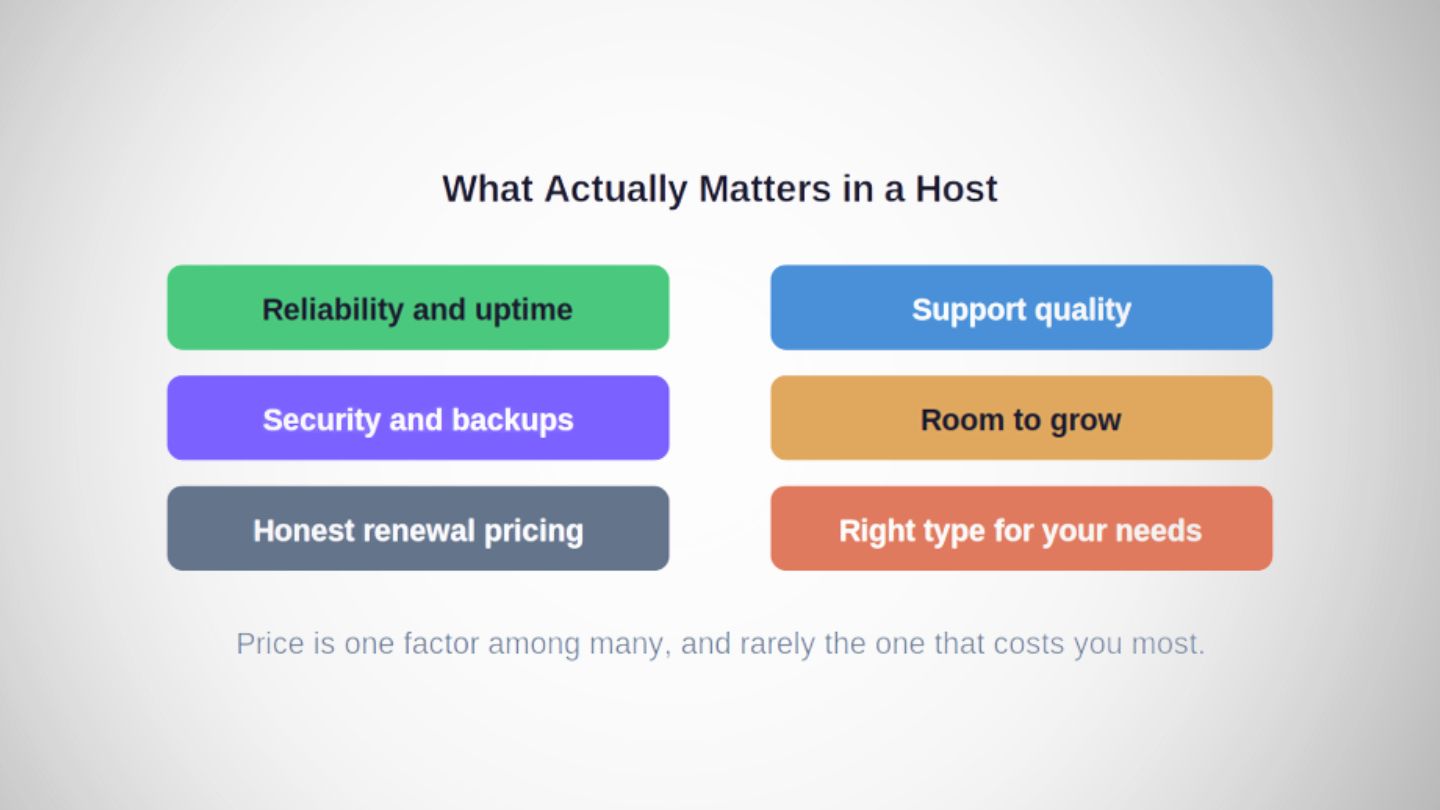
The host shapes speed, reliability, security, and support, which together outweigh a low monthly price.
Step 5: Consider Security
Consider security, because the host provides part of the foundation your site's security rests on. Features like SSL support, backups, and protective measures vary between hosts, and these matter for keeping your site and your visitors safe. A host that takes security seriously reduces risk you would otherwise carry alone.
Checking what security provisions a host includes, backups in particular, is worth doing before choosing, because recovering from a problem is far easier when the host has you covered. If your site handles sensitive customer information, official guidance such as the FTC's data security resources for small business is a sound reference for what good practice looks like, and a secure host is part of meeting it.
Steps 6 and 7: Plan for Growth and Read the Fine Print
The sixth step is planning for growth, choosing a host that can accommodate your site as it expands rather than one you will outgrow quickly. Migrating hosts is a hassle, so choosing one with room to grow, or an easy path to a larger plan, saves you a disruptive move later. A sound host is only the foundation, though, and the site built on it still has to work, which means fixing common mobile menu UX problems that frustrate visitors once they arrive.
The seventh step is reading the fine print, understanding what is actually included, what costs extra, and the terms around renewals and limits. Introductory prices that jump at renewal, resource limits that bite as you grow, and features that cost extra are all things to know before committing rather than discover after.
Making a Hosting Choice You Will Not Regret
Choosing a web host well means looking past the monthly price to what actually matters: understanding what hosting affects, matching the type to your needs, prioritizing reliability and uptime, checking support quality, considering security, planning for growth, and reading the fine print. The host shapes your site's speed, reliability, security, and your ability to get help, all of which cost far more when they fail than a low price saves. Take the decision seriously up front, and you avoid the disruptive, costly move of switching hosts after a poor choice reveals itself.
At The Ocean Marketing, our Website Design Services include helping businesses build on a foundation that actually performs, hosting included. Whether you need help choosing the right hosting, improving a site held back by poor infrastructure, or a free SEO audit to see how your current site performs, our team can help. Contact us and let's build your site on solid ground.
Frequently Asked Questions
Does the web host really affect SEO?
Indirectly but genuinely. A host affects your site's speed and reliability, both of which influence user experience and search performance. A slow or frequently down site costs visitors and can hurt rankings, so the host is part of the foundation your SEO rests on even though it is not an SEO setting itself.
Is the cheapest web host ever the right choice?
Only if it also fits your needs on reliability, support, and capacity. Price alone is a poor basis, because a cheap host that is slow, unreliable, or poorly supported costs more in lost visitors and downtime than it saves. Match the host to your needs first, then weigh price.
How do I avoid having to switch hosts later?
Plan for growth and read the fine print before you commit. Choose a type and plan with room to expand, check the renewal pricing rather than just the introductory rate, and confirm reliability and support are sound. Getting these right up front is what prevents a disruptive switch later.