


A web application can look perfect in a demo and still struggle the moment real users arrive. Login forms get probed by bots, traffic spikes expose weak infrastructure, and pages that loaded instantly in testing start to crawl. These problems rarely show up one at a time, and fixing them after launch costs far more than planning for them upfront. This blog covers the three challenges that shape almost every web application project: security, scalability, and performance. We'll look at where each one comes from, how they affect each other, and the practical decisions that keep an application stable as it grows.
Key Takeaways
- Security, scalability, and performance are design decisions, not launch-week fixes.
- Most security problems come from predictable gaps like weak logins and unchecked input.
- Scalability depends on architecture, hosting, and how data is stored and retrieved.
- Performance affects user trust, conversions, and search visibility.
- Regular testing and maintenance keep small issues from becoming expensive ones.
Why Web Applications Face Bigger Challenges Than Simple Websites
A brochure website mostly delivers the same pages to every visitor. A web application does far more work behind the scenes. It manages user accounts, processes form submissions, stores customer data, connects to payment systems, and often talks to several outside services at once. Every one of those moving parts creates another place where something can break, slow down, or be exploited, which is why the challenges grow quickly as an application adds features and users.
The three biggest pressure points are also closely linked. A security improvement like heavier encryption can add a little delay to response times. A quick performance shortcut, such as caching pages that contain personal data, can open a security hole. Adding more servers without fixing inefficient code just makes the hosting bill bigger. Treating these as connected problems from the very beginning is what separates applications that age well from ones that need constant rescue work.
Security: Closing the Gaps Attackers Look for First
Most attacks on web applications are not especially clever. They target the same predictable weaknesses again and again: weak or reused passwords, forms that accept anything a user types, outdated libraries with known flaws, and access controls that let one user see another user's data. Automated bots scan the internet around the clock looking for these gaps, so even small applications are targets. Assuming your business is too small to be noticed is one of the riskiest beliefs a team can hold.
The good news is that the fixes are well understood. Validating every input, enforcing strong authentication with multi-factor options, encrypting data in transit and at rest, and keeping dependencies updated block a large share of common attacks. The Cybersecurity and Infrastructure Security Agency's Secure by Design guidance encourages teams to build these protections in from the first line of code rather than bolting them on later, which is both cheaper and far more reliable over time.
Security Habits Worth Building Early
- Limit each user role so it can reach only the data it actually needs.
- Log failed logins and unusual activity so problems surface quickly.
- Patch frameworks, plugins, and libraries on a set schedule.
- Run security testing before every major release, not just at launch.
Read More: What Is Negative SEO and How to Prevent, Detect, and Recover From It
Scalability: Planning for the Users You Don't Have Yet
Scalability is an application's ability to handle more users, more data, and more requests without falling over. Plenty of applications launch on a setup that works fine for a few hundred people and then stall when a promotion or seasonal rush brings in thousands. The usual culprits are a single overloaded server, a database that was never indexed properly, or features that quietly fire off far too many requests behind the scenes every time a page loads.
Hosting is often where scalability starts. Shared plans with fixed resources can cap growth early, while cloud and managed environments let you add capacity as traffic climbs. Knowing how to choose a web host with future growth in mind, rather than just today's traffic, prevents a painful migration later on. Beyond hosting, load balancing, database tuning, and moving heavy background jobs away from user-facing requests all help an application grow without needing a complete rebuild.
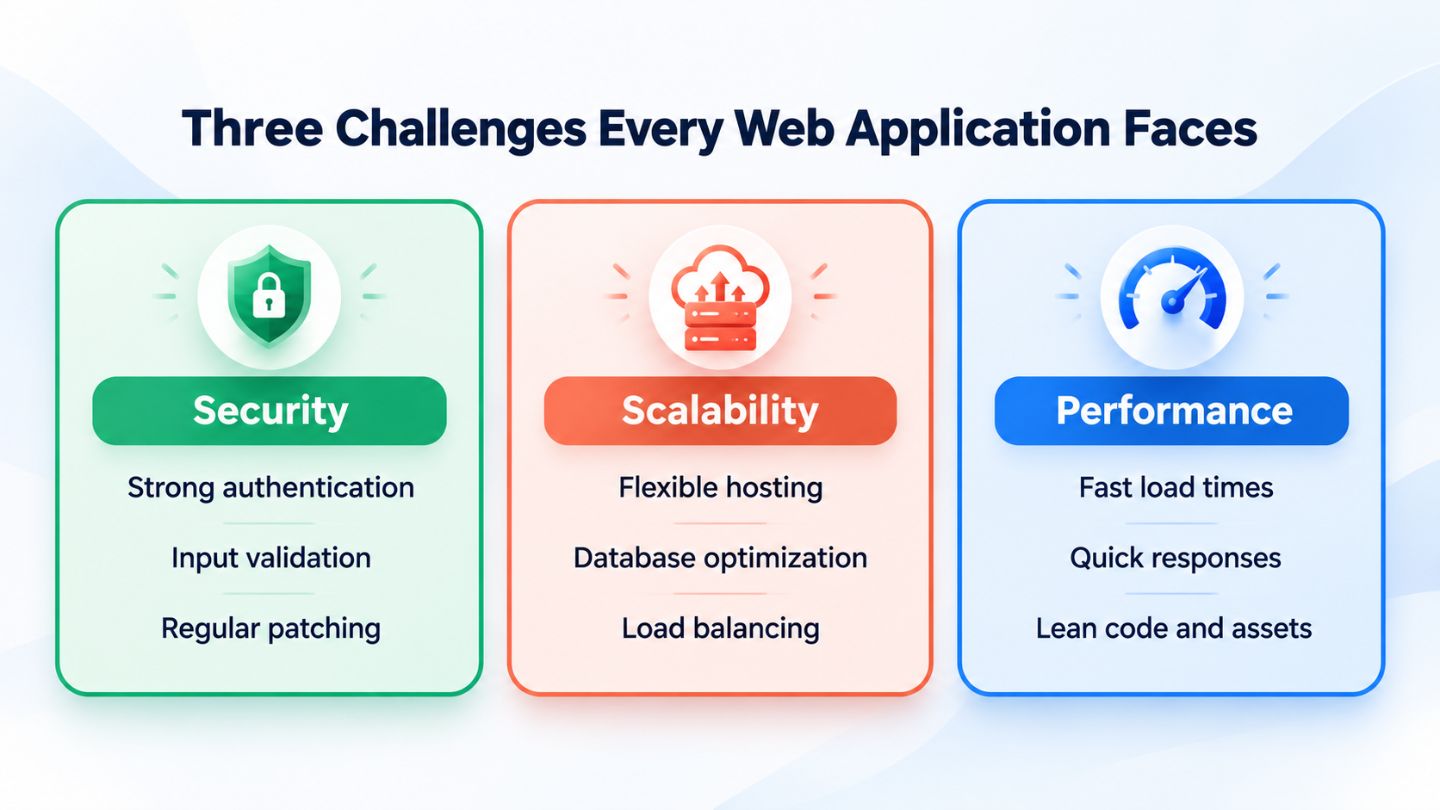
Security, scalability, and performance work best when they are planned together.
Performance: Why Speed Shapes Every Other Result
Users decide quickly whether an application feels trustworthy, and speed plays a big part in that first impression. Slow dashboards, laggy buttons, and forms that hang after submitting all push people toward the back button. Performance problems usually come from oversized images and scripts, too many database queries per page, missing caching, or heavy code running in the browser. Each one adds a small delay, and together they make an application feel broken even when it technically works. Slow, unresponsive pages are also among the common reasons your website can have a high bounce rate.
Responsiveness matters as much as raw load time. If a page appears quickly but ignores clicks for a second or two, people notice right away. That delay between a first click and the page's reaction is exactly why optimizing First Input Delay matters in design choices, since an interface has to respond to real interaction, not just finish loading. Measuring Core Web Vitals, compressing assets, and trimming unused code improve both user satisfaction and how search engines view the application.
How Testing and Maintenance Keep Problems Small
Launch day is not the finish line for a web application. New features introduce new bugs, libraries release security patches, and traffic patterns change as the business grows. Teams that test regularly catch issues while they are still cheap and easy to fix. Automated tests for core features, load testing before expected traffic spikes, and periodic security scans all give early warning before customers feel any impact on their experience. A single bug caught in testing can save hours of support calls and a lot of customer frustration later.
Ongoing maintenance ties everything together. Backups, uptime monitoring, framework updates, and performance reviews should happen on a predictable schedule rather than only after something goes wrong. A monthly website maintenance checklist gives teams a repeatable structure, so security, scalability, and speed get attention every month instead of only during emergencies.
How the Three Challenges Pull Against Each Other

Some of the hardest decisions in web application work involve trade-offs between these three areas. Strict security checks on every request add processing time. Aggressive caching speeds things up but can serve outdated or private information if it is set up carelessly. Splitting an application into many separate services helps it scale, yet every extra connection becomes one more point to secure and one more place where delays can creep in. None of these choices are wrong, but each one needs to be made deliberately. Architecture choices shape these trade-offs, which is part of the case for the benefits of a headless CMS on content-heavy builds.
The best way to handle these trade-offs is to agree on priorities before development starts. An application handling payments or health information should lean toward security even if it costs a few milliseconds. A public content platform expecting sudden traffic surges may prioritize caching and scale. Writing these priorities down gives developers a clear framework for decisions and avoids last-minute debates when deadlines are close and pressure is high.
Choosing the Right Development Approach From Day One
Many of these challenges trace back to early decisions made under deadline pressure. Picking a framework because it is familiar rather than suitable, skipping documentation, or building features before mapping out how data will flow all create problems that surface months later. Spending extra time on architecture, user roles, and data structure before development begins is rarely wasted, because changing those foundations after launch is slow and expensive.
Read More: Custom Website Design vs Templates: What Google Prefers
It also helps to define what success looks like in measurable terms. Target load times, acceptable downtime, expected user numbers, and security requirements give developers clear goals to build toward. When these targets are written down early, trade-offs become far easier to discuss, and the finished application is much more likely to meet the needs of both the business and the people who use it every day. Those same targets later become a simple way to measure whether updates are improving the application or quietly making it worse.
Building Web Applications That Hold Up Under Pressure

Security, scalability, and performance are the areas where web applications most often succeed or stumble. They are tightly connected, so a decision in one almost always affects the other two. Building in protections early, choosing infrastructure that can grow, keeping the interface fast and responsive, and maintaining everything on a steady schedule turns these challenges into manageable parts of the process rather than recurring emergencies that drain time and budget.
At The Ocean Marketing, we help businesses build fast, secure websites and pair them with SEO strategies that help the right people find them. If you want to know how your current site holds up from a technical and search perspective, our free SEO audit is a simple place to start. Contact us and let's talk about what your website needs to keep growing with your business.
Frequently Asked Questions
What is the biggest security risk for web applications?
Weak access controls and unchecked user input are among the most common risks. They allow attackers to view data they should not see or slip harmful code into the application. Strong authentication, input validation, and regular updates prevent many of these issues.
How do I know if my web application can scale?
Load testing simulates heavy traffic and shows where the application slows down or fails. Watching server resources, database response times, and error rates during busy periods also reveals whether the current setup can handle growth.
Does web application speed affect search rankings?
Yes. Search engines consider page experience signals, including Core Web Vitals, when evaluating pages. A faster, more responsive application also keeps users engaged longer, which supports conversions.