
Many local businesses never welcome customers through a front door. Plumbers, house cleaners, mobile groomers, and electricians travel to their customers instead, often running the business from home. They still want to appear on Google Maps, but they rarely want their home address on display. Google has specific rules for this situation. This blog covers how service-area businesses can stay visible on Google Maps while keeping their address private, which eligibility rules apply, and what affects how these profiles appear in local results.
Key Takeaways
- Service-area businesses visit or deliver to customers instead of serving them at an address.
- Google asks these businesses to remove their address from the profile.
- Up to 20 service areas can be listed, ideally within about two hours of driving.
- Hybrid businesses can show an address and list service areas.
- Accurate categories, reviews, and website content support visibility.
What Counts as a Service-Area Business
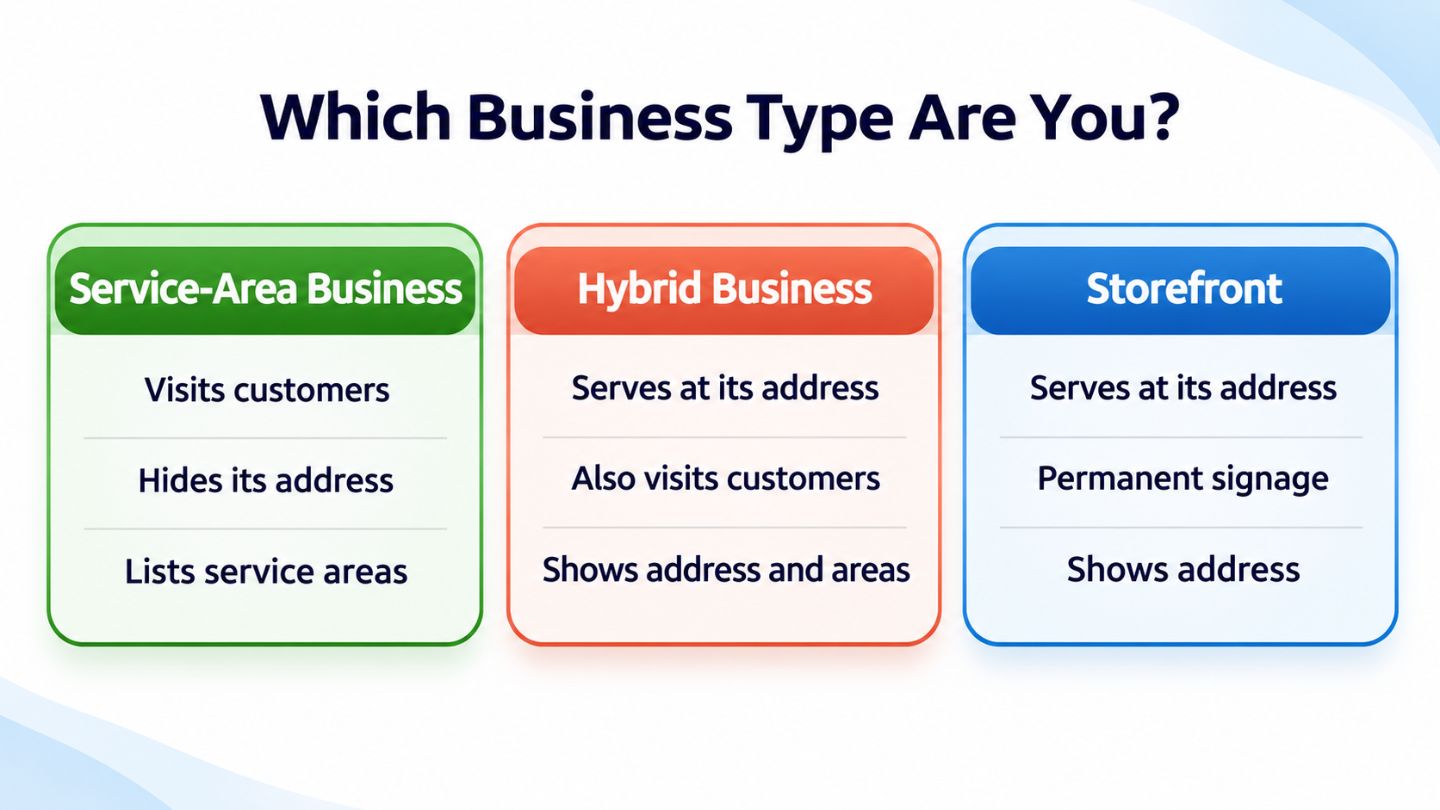
Google defines a service-area business as one that visits or delivers to customers directly but does not serve them at its business address. Cleaning services, plumbers, landscapers, and mobile repair technicians are common examples. These businesses still need a real address for verification, but customers never come to that address for service.
A hybrid business is different. It serves customers at its location and also travels to them, such as a restaurant that offers dine-in and delivery or a shop that also provides in-home installation. Google's guidance on how to manage your service areas explains that hybrid businesses can show their address, set hours for when staff are available, and list service areas too.
Choosing the right business type decides whether an address should appear on your profile.
Why the Address Should Stay Hidden
Google's instructions are clear that if a business does not serve customers at its address, the address should be removed from the Business Profile. Showing a home address would mislead customers into expecting a storefront, and it also exposes the owner's private location to anyone searching. Hiding it protects privacy while keeping the profile accurate.
The address remains in the background for verification and to help Google understand where the business operates. Customers see the service areas instead, which tells them whether the business can help them. This setup keeps the listing honest and avoids problems that could arise from displaying a location where no customer service actually happens.
Read More: Why Google Business Profile Address Changes Can Impact Local Rankings
Eligibility Rules Service-Area Businesses Must Follow

Service-area businesses can have only one profile covering the entire area they serve, rather than separate profiles for each town. The business must make in-person contact with customers, and businesses that operate only online are not eligible for a Business Profile. Google also notes that businesses selling products with age requirements, such as alcohol or weapons, need a storefront.
Signage matters for storefront status. If a business lacks permanent on-site signage, Google says it is not eligible as a storefront and should be listed as a service-area business instead. Breaking these rules, such as using a virtual office or creating extra profiles for nearby cities, can trigger problems, and the reasons a Google Business Profile might get suspended often include exactly these issues.
Key Rules at a Glance
- Remove the address if customers are not served there.
- Keep one profile for the whole service area.
- Set up to 20 service areas by city, postal code, or region.
- Keep the overall area within about two hours of driving.
Setting Service Areas the Right Way
Service areas are set in the profile's location settings, where owners can choose cities, postal codes, or other regions. Google allows up to 20 service areas, and recommends that the overall boundary stay within about two hours of driving time from where the business is based. Radius-based service areas are no longer supported for new edits.
Accuracy beats ambition here. Listing areas the business rarely serves may seem like a way to reach more people, but it can confuse customers and does not override how Google ranks results. Choosing the towns and neighborhoods the business genuinely covers creates a profile that matches real service and sets clear expectations for customers.
How Service-Area Businesses Show Up on Maps
Ranking Without a Visible Address
Service-area businesses can appear in local results and on Google Maps even without a visible address. Google ranks local results based on relevance, distance, and prominence, and the balance between those factors is explained by proximity vs. relevance vs. prominence. Distance is still considered, even though the address is hidden from customers.
Why Location Still Matters
Because the hidden address still shapes where the business is considered located, service-area businesses often find it harder to rank in towns farther from their base. Listing a distant city as a service area does not guarantee visibility there. Many owners are surprised by this, which is one of the reasons some service businesses never appear in Maps for searches outside their immediate area.
Verification for Service-Area Businesses
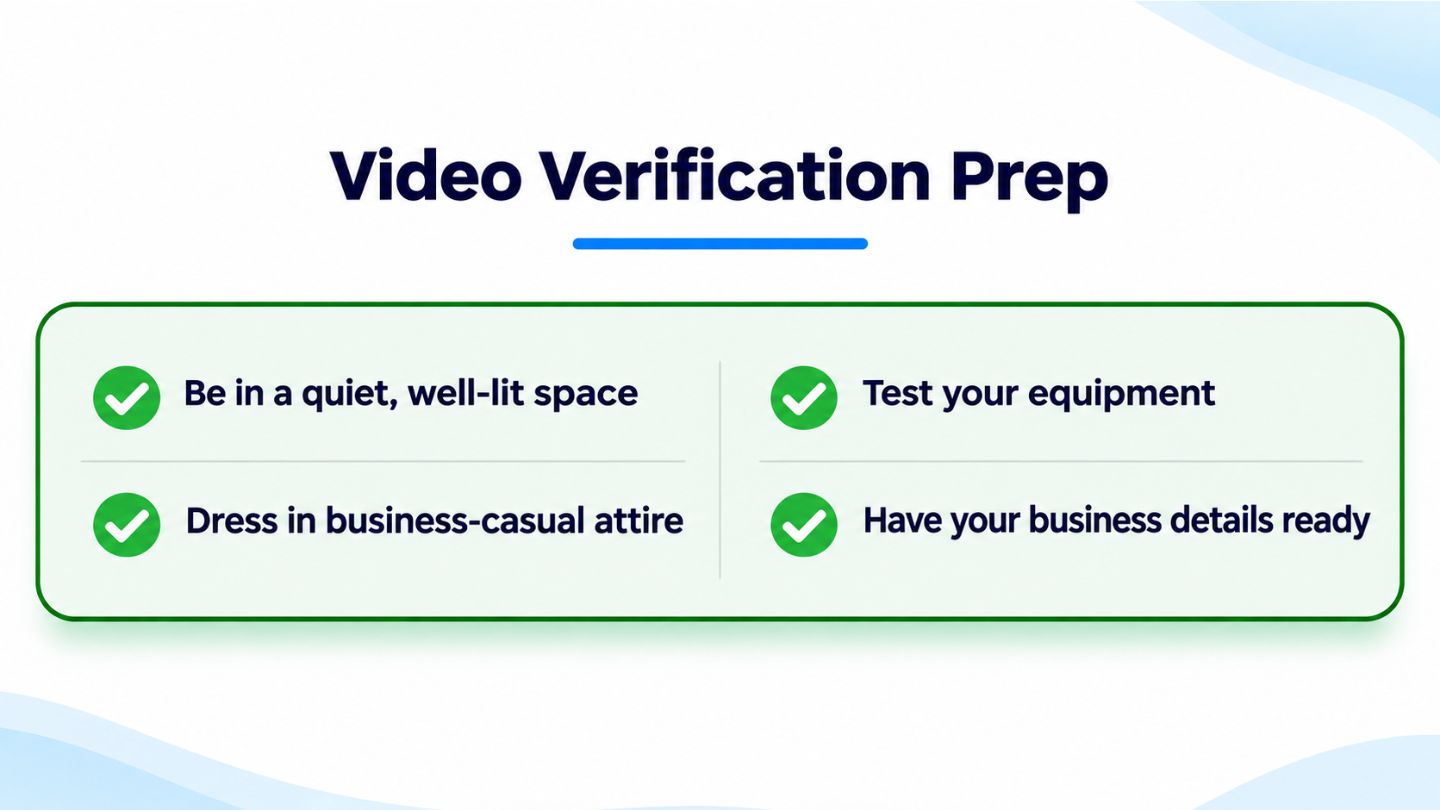
Hidden addresses do not mean skipping verification. Service-area businesses still need to prove they are real and operate where they claim, and Google often uses video verification for this purpose. Owners may be asked to show their vehicle with branding, tools of the trade, business documents, and evidence that they manage the business.
Preparing in advance makes the process smoother. Having branded materials, business licenses, and proof of the address ready helps verification go quickly. The various Google Business Profile verification methods differ by business type and location, so knowing what to expect avoids delays when a request arrives.
Preparing these items in advance helps verification go smoothly.
Strengthening Visibility Without a Storefront
Without a public address, other parts of the profile carry more weight. Choosing accurate primary and secondary categories, writing a clear business description, listing services in detail, and uploading photos of real jobs all help customers understand what the business does. Steady, genuine reviews that mention the type of work completed add valuable context as well.
The business website supports the profile too. Creating strategic service area pages for the main towns served, with unique content about local projects and services, helps search engines connect the business with those areas. Consistent business details across the website and directory listings reinforce trust and accuracy.
Read More: Why NAP Consistency Is Crucial for Local SEO
Common Mistakes Service-Area Businesses Make
One frequent mistake is listing a home address as if it were a storefront, which can lead to profile issues and frustrated customers who show up at the door. Another is creating separate profiles for each nearby town in an attempt to rank in more places. Both approaches break Google's guidelines and can put the entire listing at risk.
Overreaching with service areas is a quieter problem. Listing distant cities rarely produces visibility there, because Google still weighs where the business is actually based. Understanding why some service businesses never appear in Maps for searches outside their immediate area helps owners focus on realistic goals and stronger profiles.
Keeping Your Profile Accurate Over Time
Service-area details change as businesses grow. New towns get added, staff availability shifts, and services expand or narrow. Reviewing the profile every few months keeps service areas, hours, and services in line with what the business actually offers today.
Accuracy also extends beyond the profile itself. Business details on the website, social channels, and directories should match the information on Google. Consistent, current information across every platform reassures customers and helps Google trust that the business is genuinely operating where it says it does.
Staying Visible While Protecting Your Privacy
Service-area businesses can appear on Google Maps without exposing a home address, as long as they follow Google's rules. Removing the address, keeping one profile, setting accurate service areas within a reasonable distance, and completing verification keep the listing eligible. Strong categories, real photos, genuine reviews, and supportive website content then help the business stand out to nearby customers.
At The Ocean Marketing, we help service-area businesses build Google profiles that are accurate, compliant, and easy for local customers to find. Our Google Maps SEO team manages profile setup, service areas, and local visibility, and a free SEO audit can uncover gaps in your local presence. Contact us to make sure customers can find you wherever you work.
Frequently Asked Questions
Can I list my business on Google Maps without showing my home address?
Yes. If you do not serve customers at your address, Google asks you to remove it and list service areas instead.
How many service areas can I add to my Business Profile?
Google allows up to 20 service areas, and recommends keeping the overall area within about two hours of driving from your base.
Can I create separate profiles for each city I serve?
No. Service-area businesses can have only one profile covering their entire service area. Extra profiles can lead to suspension.