 Skip to content
Choosing the right design software is a pivotal decision for any business. The visuals you create represent your brand, communicate your message, and engage your customers. In the world of design tools, two names dominate the conversation: Canva and Adobe. Both are powerful platforms, but they serve different needs and skill levels. Making the right choice depends entirely on your business goals, resources, and in-house expertise.
This blog will break down the key differences between Canva and Adobe’s suite of design products. We will explore their features, ease of use, pricing, and ideal use cases. By the end, you’ll have a clear understanding of which platform is the best fit for your team.
Key Takeaways
- Canva is best for speed and simplicity, making it a great option for businesses that need quick, consistent designs using templates without advanced design skills.
- Adobe is better for high-level, custom design work, especially for professional branding, advanced photo editing, and scalable graphics created from scratch.
- The right choice depends on your goals and resources. Many businesses benefit from using both, combining Canva for daily content and Adobe for major branding projects.
Understanding the Core Difference
At its heart, the comparison between Canva and Adobe is about accessibility versus capability.
Canva is a web-based design platform built for simplicity and speed. It uses a drag-and-drop interface and a vast library of templates, making it possible for non-designers to create professional-looking graphics quickly.
Adobe Creative Cloud is a suite of professional-grade applications, including Photoshop, Illustrator, and InDesign. These are the industry-standard tools used by professional graphic designers, offering unparalleled control, precision, and creative freedom.
Both options can support strong brand visuals, but the best choice depends on how much customization your business needs and how advanced your design workflow is.
Ease of Use: A Tale of Two Learning Curves
The user experience is where Canva and Adobe diverge most significantly.
Canva: Designed for Everyone
Canva’s primary selling point is its intuitive interface. If you can use a computer, you can likely create a design in Canva within minutes. The platform guides you with pre-sized templates for everything from social media posts to business presentations. You simply select a template, swap out the text and images, and download your file.
This minimal learning curve empowers marketing teams, small business owners, and administrative staff to produce quality visual content without any formal design training. For many growing businesses, the real advantage is speed, especially when consistent visuals are needed across multiple channels. That’s one of the biggest benefits of graphic design services for businesses: staying visually polished and recognizable, even when content is being produced quickly.
Adobe: Built for Professionals
Adobe’s applications are powerful but complex. Tools like Illustrator and Photoshop have steep learning curves, packed with extensive menus, panels, and features that can be overwhelming for a beginner. Mastering these programs requires time, practice, and often formal training.
The payoff, however, is complete creative control. For professional designers, this complexity is a strength, allowing them to create completely original work from a blank canvas without any limitations.
Features and Capabilities
Your design needs will dictate which platform’s feature set is more appropriate for your business.
Canva’s Strengths: Speed and Collaboration
Canva shines when it comes to creating standard marketing materials efficiently.
Template Library: Canva offers thousands of professionally designed templates for social media, flyers, presentations, business cards, and more. This saves time and ensures a polished result.
Collaboration: The platform is built for teamwork. Multiple users can comment on, edit, and work on a single design in real-time, streamlining the approval process.
Brand Kit: Canva’s Pro plan allows you to upload your company’s logos, color palettes, and fonts. This feature helps maintain brand consistency across all materials created by your team.
Integrated Stock Media: You have access to a massive library of stock photos, videos, icons, and audio tracks directly within the editor.
For brands producing frequent promotional content, Canva can cover a lot of ground efficiently, especially for everyday marketing and advertising graphic design that supports campaigns, announcements, product launches, and social engagement.
Adobe’s Strengths: Power and Originality
Adobe is the undisputed champion for creating custom, high-quality, and scalable graphics from scratch.
Vector Graphics (Illustrator): Adobe Illustrator is the tool for creating logos, icons, and illustrations that can be scaled to any size without losing quality. This is essential for professional branding.
Photo Editing (Photoshop): Photoshop is the world’s leading photo manipulation software. It offers advanced retouching, color correction, and compositing capabilities that are far beyond Canva’s basic photo filters.
Layout Design (InDesign): For multi-page documents like brochures, magazines, and ebooks, InDesign provides precise control over typography and layout.
Integration: The entire Adobe Creative Cloud suite is integrated, allowing you to move assets seamlessly between programs (e.g., edit a photo in Photoshop and place it in an InDesign layout).
When branding needs to be completely unique, Adobe is often the better choice because it supports high-level creative execution and professional-quality results.
Pricing and Value
Cost is a major factor for any business. Canva and Adobe operate on different pricing models.
Canva
Canva offers a robust free version that is sufficient for many basic design tasks. The Canva Pro plan, which unlocks premium features like the Brand Kit and a larger content library, is an affordable monthly subscription per user. The value lies in its low cost of entry and the time it saves non-designers.
Adobe Creative Cloud
This is a significant investment. Adobe offers subscriptions for individual apps or the full Creative Cloud suite. While more expensive, the value comes from owning the industry-standard tools that provide limitless creative potential. The cost also often includes access to Adobe Fonts and some cloud storage.
Who Should Use Canva?

Canva is the ideal choice for:
- Small businesses and startups with limited budgets and no dedicated designer
- Marketing teams that need to produce a high volume of social media content and simple marketing materials quickly
- Non-designers (like sales reps or HR managers) who need to create professional-looking presentations or internal documents
- Businesses that prioritize speed and consistency using templates over completely custom designs
Who Should Use Adobe?
Adobe is the right choice for:
- Businesses with in-house professional designers who can leverage the full power of the software
- Companies that require highly customized and original branding, such as unique logos and bespoke illustrations
- Agencies and creative professionals who provide design services to clients
- Businesses that need to create complex print materials, detailed photo edits, or scalable vector graphics
The Verdict: Canva or Adobe?
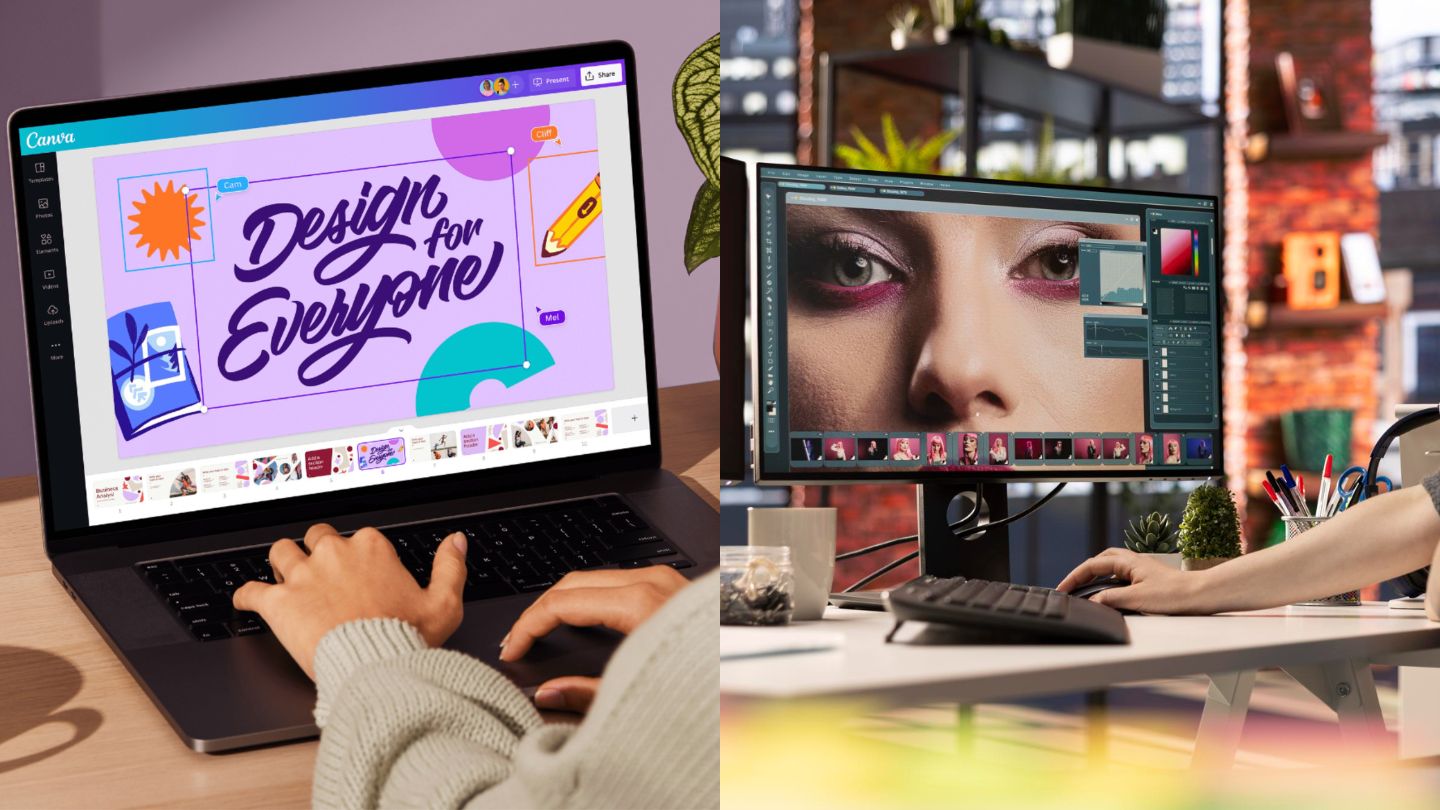
The best tool for your business is the one that aligns with your needs and resources. It isn’t always an either-or decision. Many businesses use both. A marketing team might use Canva for daily social media posts while relying on a freelance designer using Adobe for a major brand identity project.
Think of it this way:
Choose Canva if your priority is empowering your team to create good-looking designs quickly and affordably, without needing specialized skills.
Choose Adobe if your priority is creating unique, professional-grade, and completely custom graphics, and you have the skilled personnel to operate the software.
Final Thoughts
In summary, both Canva and Adobe are excellent design platforms, but they serve different business needs. Canva is ideal for quick, template-based designs and everyday marketing content, while Adobe is better suited for businesses that need professional-level customization, advanced creative control, and high-quality original branding. The right choice ultimately depends on your team’s skill level, budget, and how complex your design requirements are.
If your business needs consistent, professional visuals that strengthen your brand identity, The Ocean Marketing can help through expert graphic design services tailored to your goals. Whether you need polished marketing materials, custom branding assets, or high-quality visuals designed to stand out in your industry, having a dedicated team behind your creative work can make a major difference. And if you want to improve your overall online performance alongside better design, a free SEO audit is a great way to identify what’s holding your website back and where you can grow. Contact us today to get started with professional graphic design services that make your business stand out.
